Guide
How to Collect Wedding RSVPs Online Without Spreadsheets or Group Chats
Collect wedding RSVPs in one place instead of WhatsApp threads and spreadsheets, with structured replies that later become your seating plan.
The replies are not the problem. Finding them is.
Most couples do not struggle to invite people. They struggle to keep the answers in one trustworthy place. A yes arrives in WhatsApp. A meal choice lands in email. A plus-one is mentioned at dinner. Someone says “we’ll confirm later” and the spreadsheet never quite catches up.
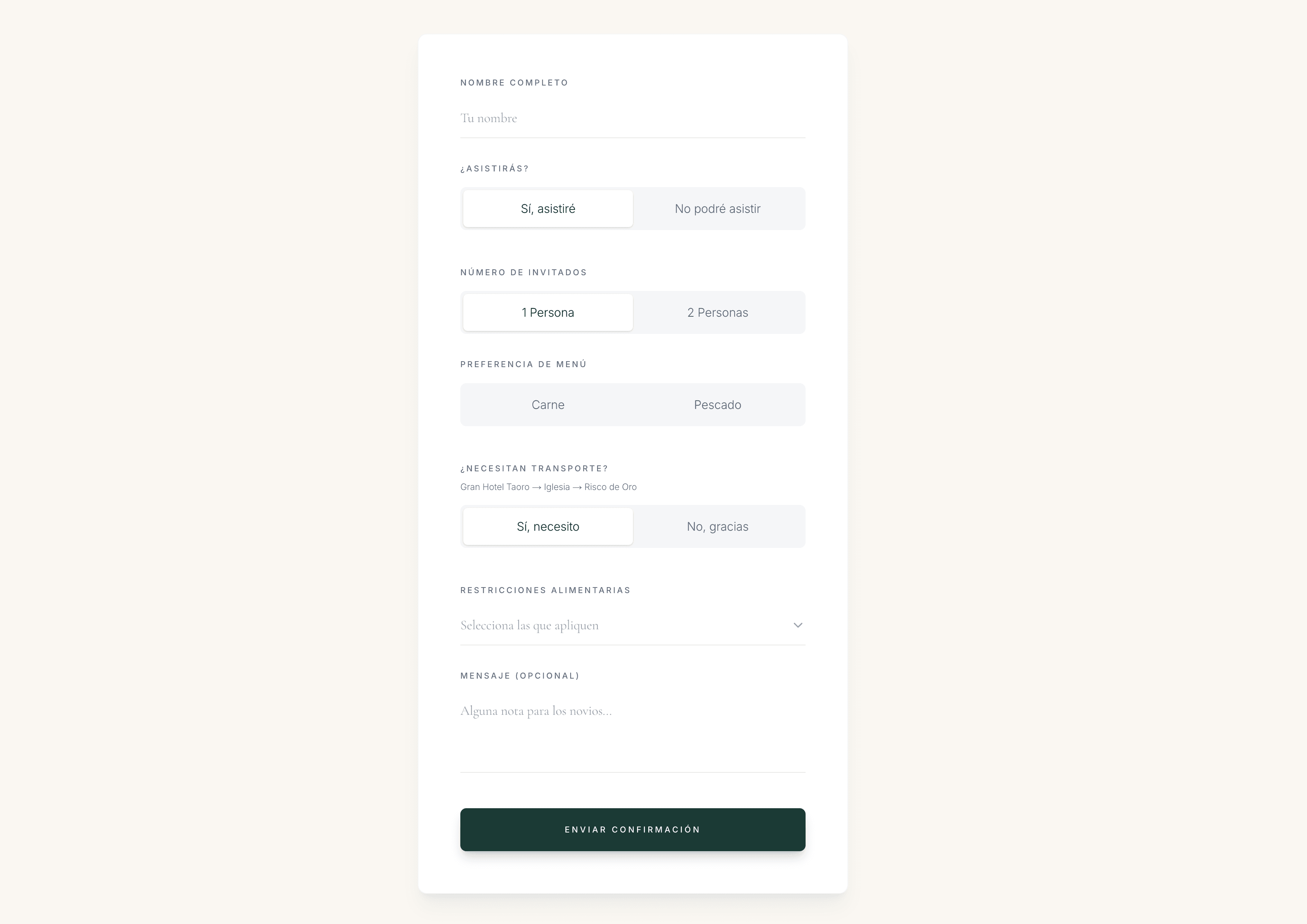
An online wedding RSVP system is not just a prettier reply form. It is a single guest directory: who is coming, what they eat, who they bring, and who still needs a nudge. That same list can later become the seating plan, instead of another file you rebuild by hand.
This guide compares the usual RSVP methods, shows what to collect from the first reply, and walks through a clean setup you can finish in one afternoon.
Why RSVPs scatter so quickly
Guests reply in the channel that feels easiest for them. That is reasonable. It is also how wedding information becomes unusable.
A typical mixed system looks like this:
- Paper reply cards for some households
- A WhatsApp group or private messages for others
- A Google Form that only part of the guest list used
- A spreadsheet someone updates “when they have time”
- Notes in a phone that never reach the planner or partner
Each extra inbox feels harmless until you need a headcount, a meal total, or a first seating draft. Then the work is not planning. It is archaeology.
Compare the usual RSVP methods
Use this table before you commit another weekend to cleaning a spreadsheet. The winning method is the one that keeps answers attached to each guest.
Wedding RSVP methods at a glance
| Comparison | WhatsApp or paper replies | Forms and spreadsheets | Dedicated RSVP website |
|---|---|---|---|
| Where answers live | Across chats, cards and memory | In a sheet you maintain by hand | On each guest in one directory |
| Attendance, meals and plus-ones | Often incomplete or ambiguous | Possible, if every guest uses the same form | Asked once, stored with the guest |
| Who has not replied | Hard to see without rereading threads | Only if you track status yourself | Visible as pending, confirmed or declined |
| Follow-up | Manual chasing, easy to miss people | Filter the sheet, then message separately | Start from the pending list and resend the same link |
| Guest experience | Familiar, but details get lost | Functional, rarely feels like the wedding | Invitation, details and RSVP in one place |
| Path to the seating plan | Retype names later | Export, clean, then import again | Use the same confirmed guests |
| Best when | The guest list is tiny and informal | You only need a headcount, not operations | You want live replies and a seating-ready list |
“The replies were never the hard part. The hard part was finding them again when we needed to seat people.”
What a useful wedding RSVP must collect
A yes/no is not enough. Seating, catering and hospitality all depend on a few extra answers collected at the same moment the guest replies.
At minimum, keep:
RSVP fields worth collecting from day one
- Attendance for each named guest
- Plus-one name, not only “coming with someone”
- Meal choice for every person who is eating
- Dietary restrictions and allergies
- Accessibility or seating needs
- A way to mark pending, confirmed and declined
- Custom questions that actually change planning, not decoration
If you are still deciding what belongs on the invitation itself, see what to include in a digital wedding invitation. The RSVP form should stay short. Extra atmosphere lives on the invitation page; extra operations belong in structured answers.
How to set up online RSVPs in one afternoon
You do not need a finished seating plan to start collecting replies. You need a published invitation, clear questions and a list you trust.
From first login to the first replies
- 01
Create the wedding space
Add your names, date and the feeling of the day. This becomes the private workspace for invitations, RSVPs and later seating.
- 02
Publish the invitation with RSVP enabled
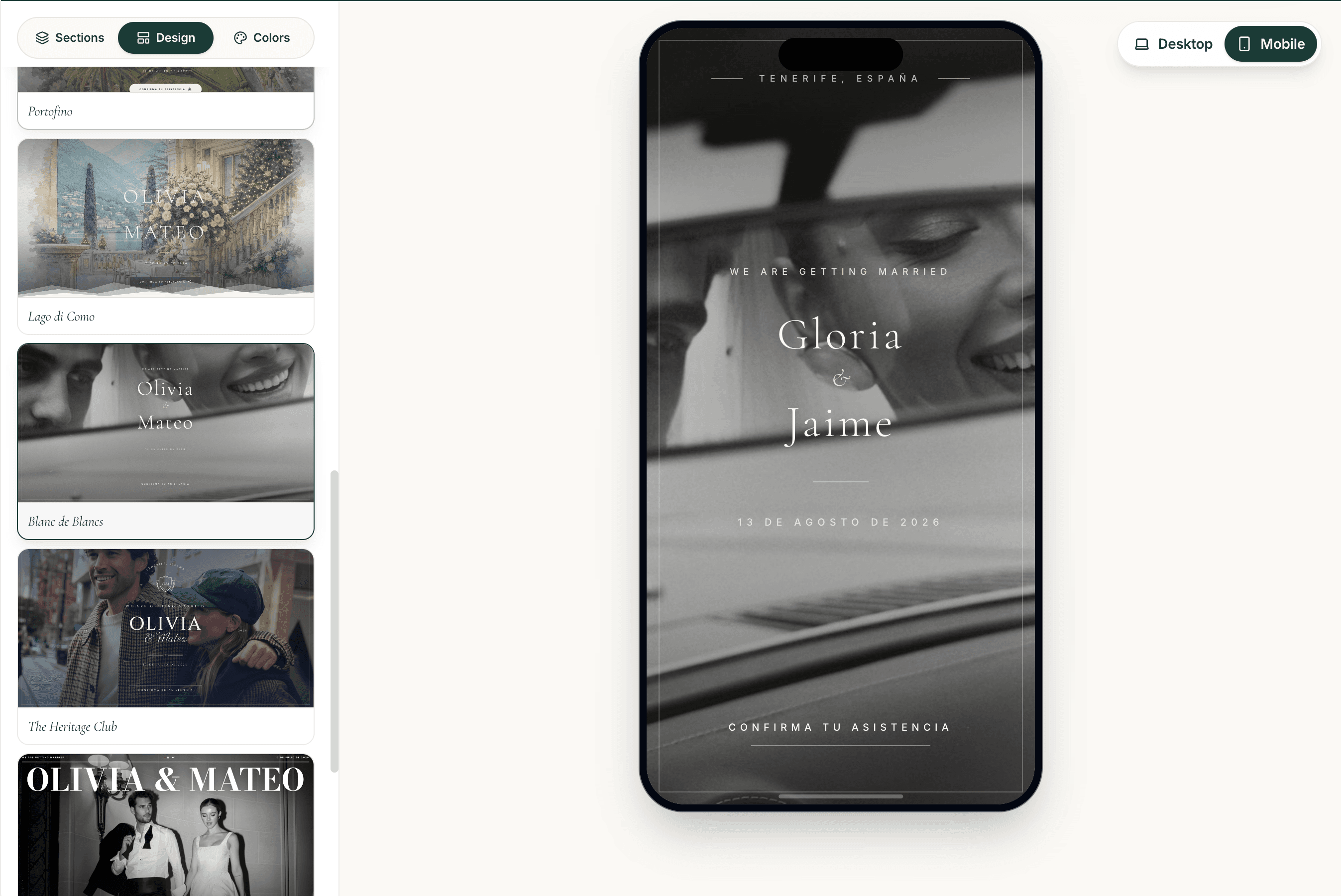
Choose a design, add ceremony and reception details, then turn on the RSVP form. Guests should see one calm page, not a separate survey.
- 03
Ask only the questions you will use
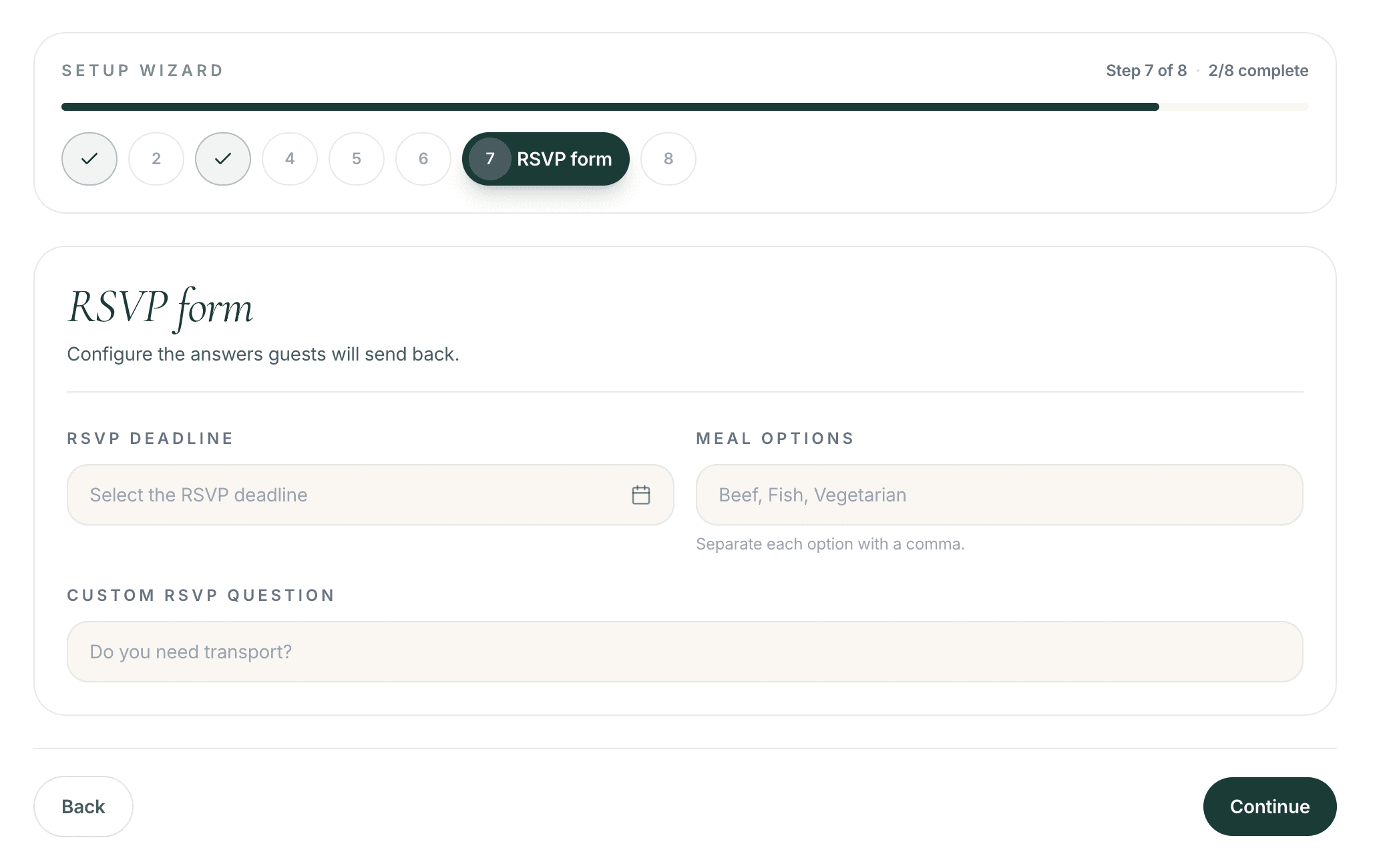
Attendance, plus-ones, meals and dietary notes cover most weddings. Add a custom question only when the answer changes catering, transport or seating.
- 04
Share a personal link with each guest
A personal link is easier to follow up than a public form that anyone can fill twice. Guests open it on their phone — no app to download.
- 05
Watch replies land in the guest directory
Confirmed, pending and declined should update live. Meal choices and notes stay attached to the guest, not in a side column you maintain later.
- 06
Chase pending guests from the same list
When the first wave slows, filter who has not replied and send the same link again. Do not open a new inbox to chase the old one.
How to follow up without nagging
Pending guests are normal. The mistake is waiting until two weeks before the wedding and then reconstructing who was invited.
A simple follow-up rhythm:
- Week 1–2 after sending: let the first replies arrive
- After the first wave: message only the pending list
- Two weeks before you need catering numbers: one clearer reminder
- Final days: move remaining maybes to a decision, then lock meals
The reminder should be the same invitation link, not a new set of questions. Guests who already opened it once should not have to start again.
If some guests will never use a link, collect their answer yourself and enter it in the same directory. The goal is one source of truth, not a perfectly digital guest list.
What to do with RSVPs once they start arriving
Do not wait for every reply before organising the list. Early work should be structure, not final seats.
- Group families and obvious friendship circles
- Mark couples who must sit together
- Note conflicts and accessibility needs
- Keep declined guests out of the seating canvas
- Leave seat-level decisions until most replies are in
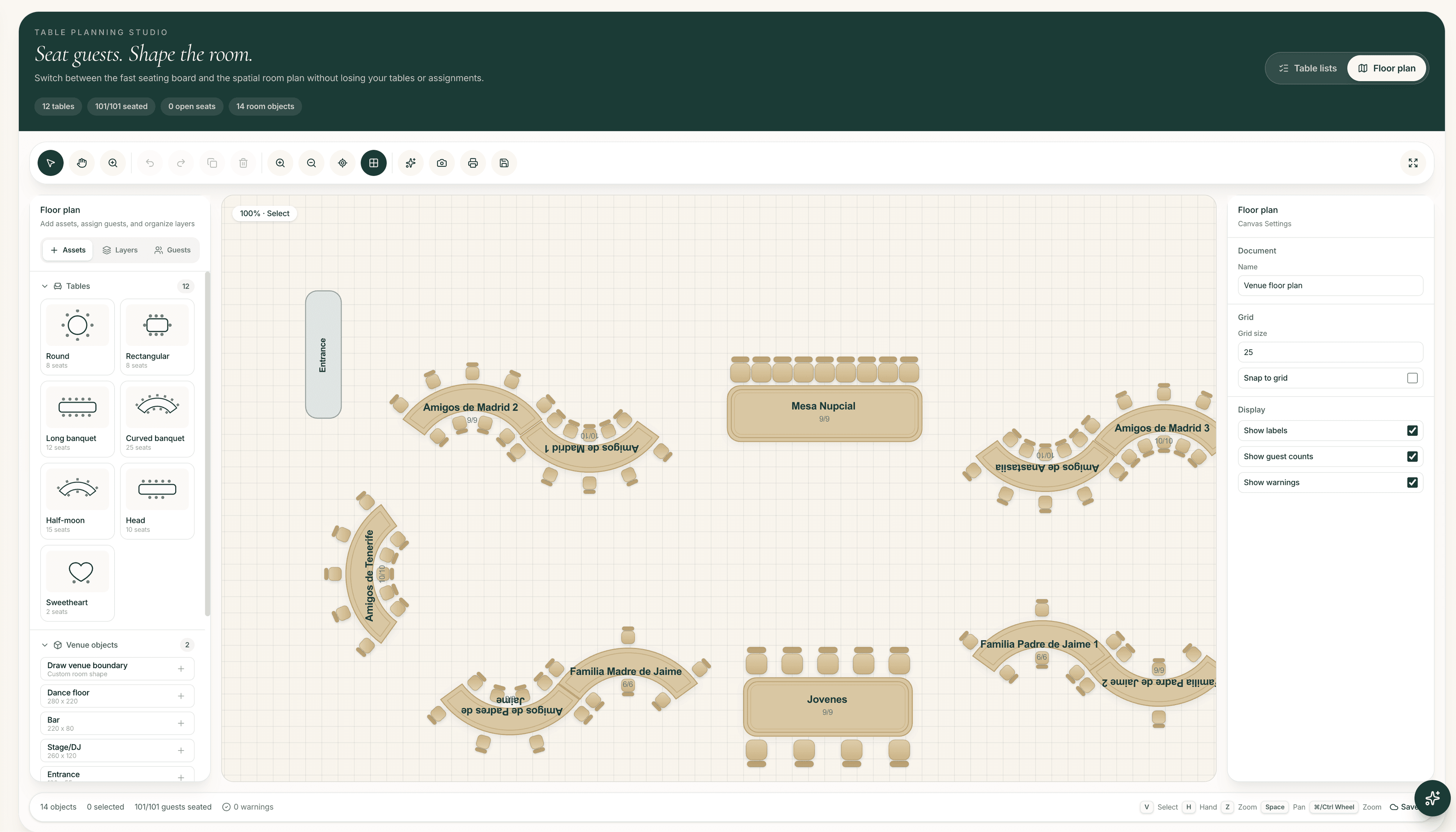
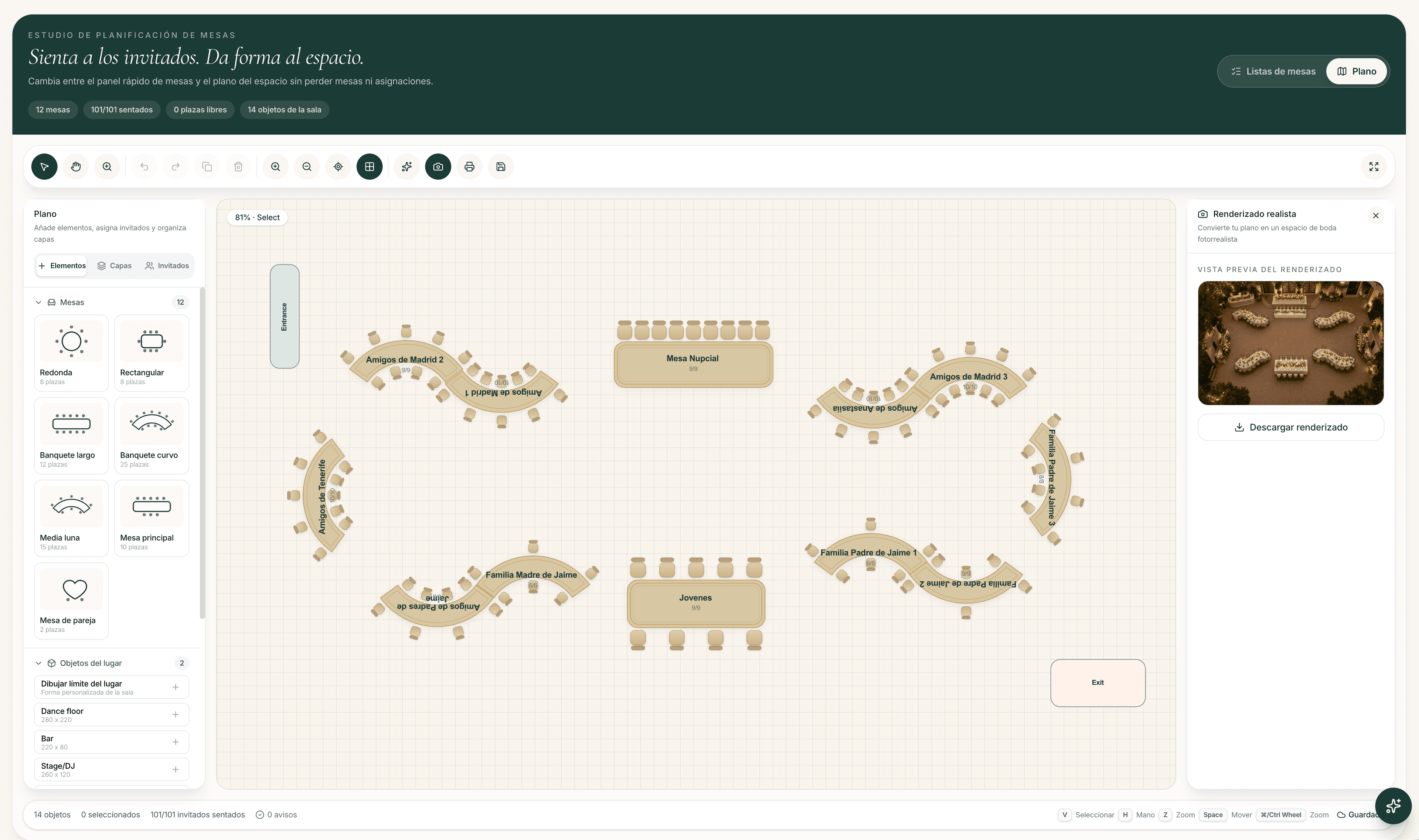
When the list is mostly stable, the same confirmed guests can become tables. That workflow is covered in how to turn an RSVP guest list into a seating plan and in The Wedy AI seating planner.
When a spreadsheet is still enough
A spreadsheet can work for a very small, informal wedding if one person owns it and guests will not keep changing answers. It starts to fail when:
- Two people edit different copies
- Meal choices arrive in a different place from attendance
- You need to show a planner or venue a trusted headcount
- You will later build a seating plan or floor plan
- International guests need a bilingual invitation and RSVP
If any of those are true, moving RSVPs into a dedicated wedding website is usually cheaper than the hours spent reconciling versions.
A practical RSVP setup checklist
Before you send the first link
- One canonical wedding URL for details and RSVP
- Named guests already in the directory, not a blank public form
- Meal and dietary questions ready
- A decision on plus-ones before people invent them
- A bilingual setup if the guest list is mixed
- A follow-up date in the calendar, not “when we remember”
- A plan to use the same list for seating later
If you still want a printed card for close family, keep it hybrid: paper for the first impression, digital for the reply. The cost and seating trade-offs are in digital vs paper wedding invitations.
Frequently asked questions
What is the best wedding website builder with RSVP tracking?
The best option keeps the invitation, RSVP form and guest list in the same system. The Wedy does this: guests reply from any device, couples see who has answered, and meal choices stay attached to each guest instead of living in a separate form.
Can guests RSVP without downloading an app?
Yes. Guests should open a normal web link on their phone and answer in a short form. If a tool requires an app install, reply rates usually drop.
Is a Google Form enough for wedding RSVPs?
A form can collect a first wave of answers, but it does not give you a live guest directory, personal follow-up links, or a clean path into seating. It also tends to create duplicate replies and unnamed plus-ones.
How do I collect RSVPs if some guests only use WhatsApp?
Share the personal invitation link in WhatsApp. The conversation can carry the link; the answers should still land in the RSVP system, not in the chat history.
How do I follow up guests who have not replied?
Filter the pending list and resend the same invitation link. Avoid opening a second form or asking them to repeat meal questions they may have already answered elsewhere.
Do online RSVPs feed the seating plan?
They should. In The Wedy, confirmed guests, meals and notes stay in the guest directory and can be used later for tables, relationships and a public seating lookup. See how the RSVP list becomes a seating plan.
Can the RSVP be bilingual?
Yes. The Wedy invitations and guest-facing pages work in English and Spanish, which helps destination weddings and mixed guest lists.
How much does an online RSVP website cost?
On The Wedy, couples pay a single one-time fee per wedding rather than a subscription. Current plans and optional add-ons are on the pricing page.
Continue reading
Related stories

How to Create a Digital Wedding Invitation in 10 Minutes
Create a professionally designed digital wedding invitation in minutes, collect RSVPs and keep using the same guest list when it is time to organise the seating plan.

What to Include in a Digital Wedding Invitation
A practical checklist of what guests need on a digital wedding invitation — the essentials, useful extras, RSVP questions and what you can add later.

Can You Use Your RSVP Guest List to Create the Wedding Seating Plan?
Turn confirmed wedding RSVPs into an organised seating plan without copying guest information between spreadsheets and separate tools.

Digital vs Paper Wedding Invitations: Cost, RSVP Rate and Seating Impact
Compare digital and paper wedding invitations on real cost, how fast guests RSVP, and what that choice means for your seating plan later.