
Guía
Can You Use Your RSVP Guest List to Create the Wedding Seating Plan?
Turn confirmed wedding RSVPs into an organised seating plan without copying guest information between spreadsheets and separate tools.
Most invitation platforms stop after the guest responds
Once invitations are sent and RSVPs start coming in, many couples face a familiar problem: the guest list exists in one place, but the seating plan needs to be built somewhere else.
Names get exported. Spreadsheets get cleaned. Groups are rebuilt by hand. Then someone cancels, a plus-one appears, or a meal choice changes — and the seating plan falls out of sync with the invitation list.
RSVP information can become the foundation of the seating plan instead of a separate dataset you copy around. This guide explains what to keep from each response, why confirmed names alone are not enough, and how an integrated workflow turns guest replies into tables, relationships and a wedding-day seating lookup.
What information should come from the RSVP
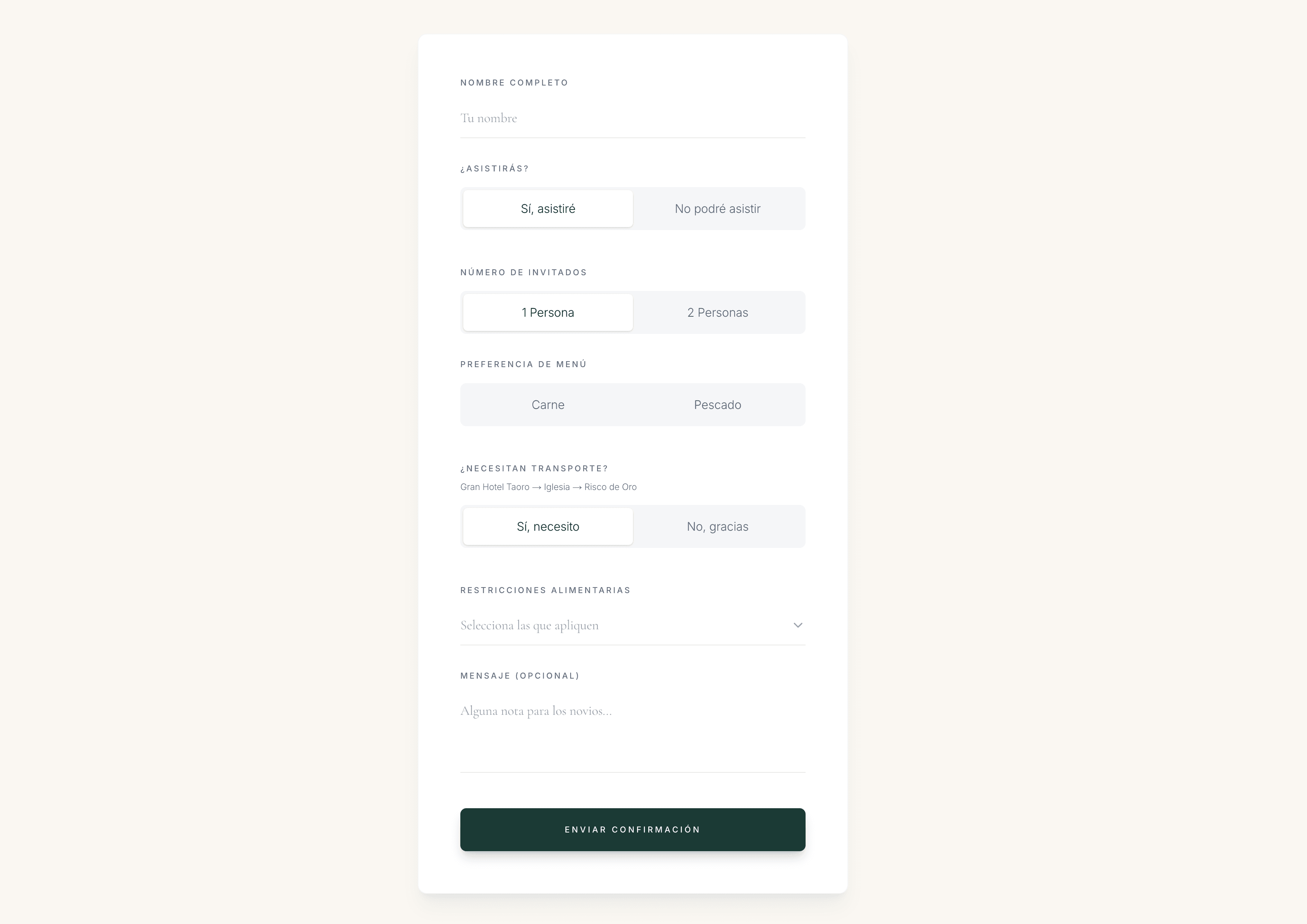
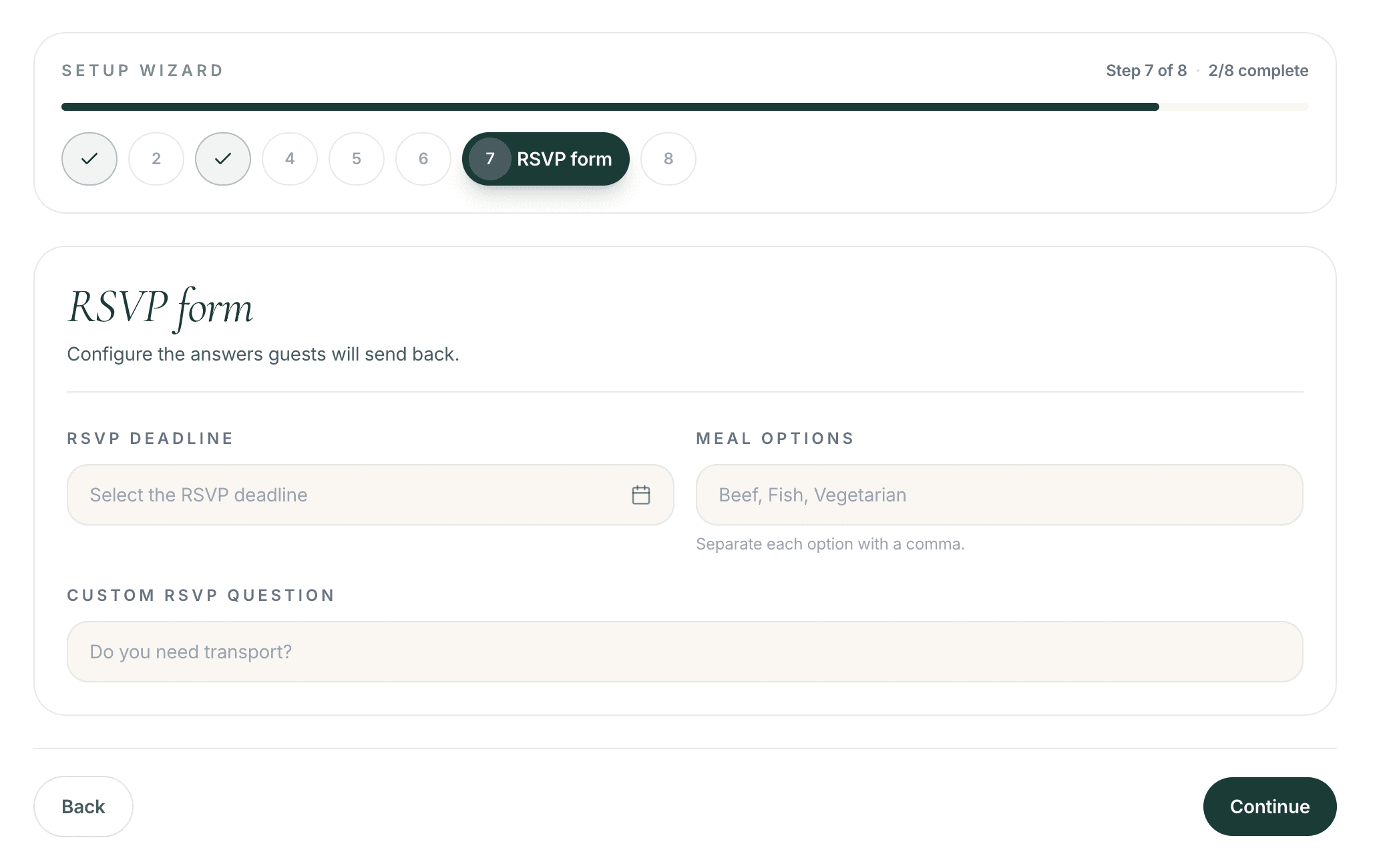
A useful seating plan starts with structured guest answers, not a plain list of names. When RSVPs are collected properly, each confirmed guest already carries the details seating decisions depend on.
Capture and keep:
- Attendance status
- Plus-ones
- Meal choices
- Dietary restrictions
- Accessibility requirements
- Guest language
- Family or party membership
- Custom answers that affect placement or hospitality
When these details stay attached to each guest, you avoid rebuilding the same information later in a seating spreadsheet or another tool.
Why a list of confirmed names is not enough
Knowing who is coming tells you how many seats you need. It does not tell you how people should sit together.
Seating requires context such as:
- Couples who must remain together
- Families and friendship groups
- Guests who know nobody else at the wedding
- Divorced or separated relatives
- Guests who should not sit together
- Children and their parents
- Older guests who may need quieter or easier seating
- Accessibility needs near routes, exits or support
- Language preferences across mixed groups
- VIP placement for close family or wedding-party members
Without that context, the confirmed list becomes another export that still needs hours of interpretation before anyone can sit down.

The manual spreadsheet problem
The usual workflow looks efficient until the first change arrives.
- Collect RSVPs
- Export names
- Clean the spreadsheet
- Create groups manually
- Copy guests into another seating tool
- Update everything again when someone cancels
Each handoff creates duplicated work. Different files drift apart. Meal choices, accessibility notes and relationship details get lost between the invitation platform and the seating chart.
By the final weeks before the wedding, couples are often maintaining two or three versions of the same guest information — none of them fully trusted.
The integrated The Wedy workflow
An integrated system keeps the invitation list and seating plan connected from the first response to the wedding day.
- Send personal invitations
- Collect structured RSVPs
- Build the guest directory
- Add relationships and constraints
- Assign guests to tables
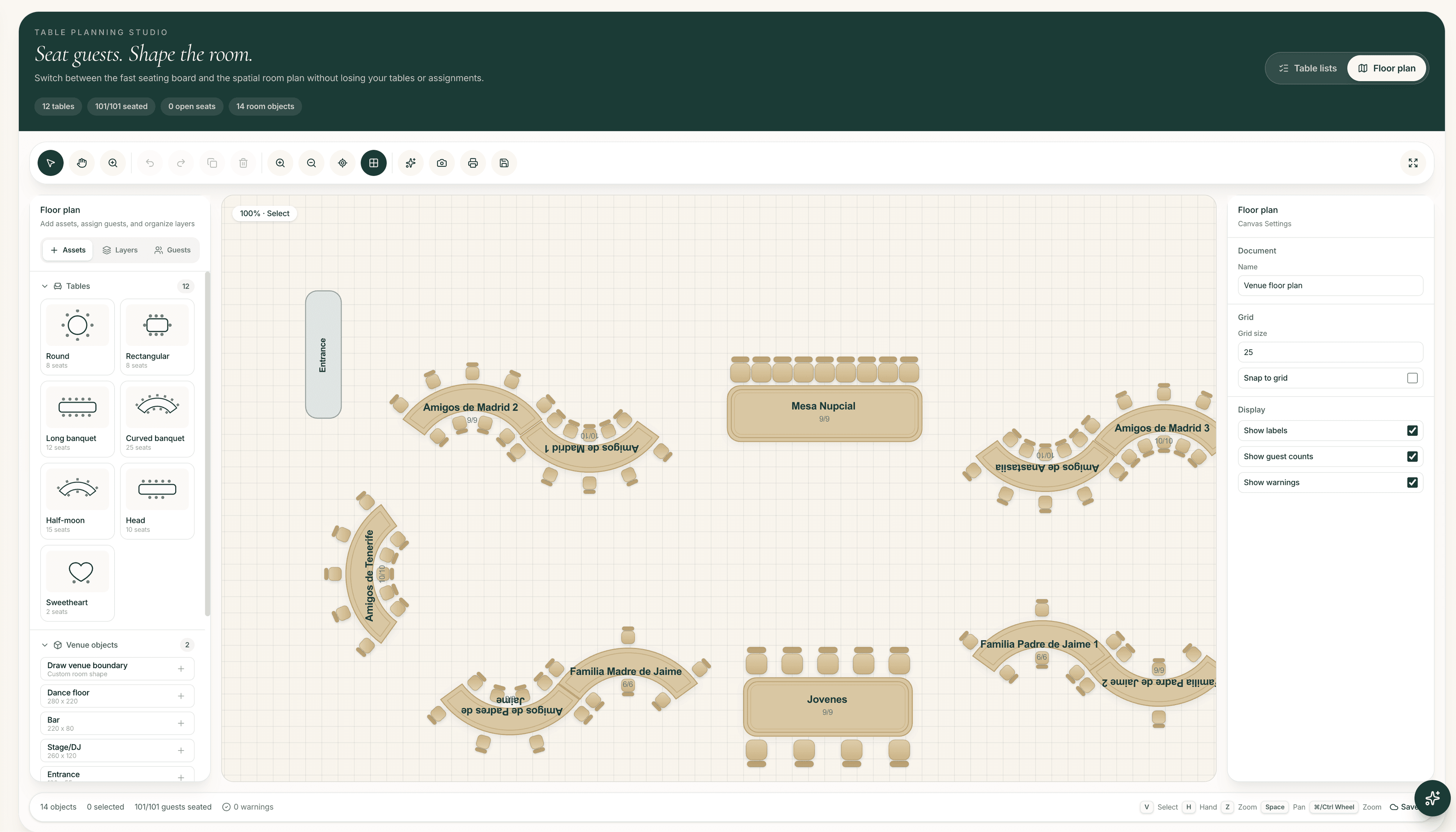
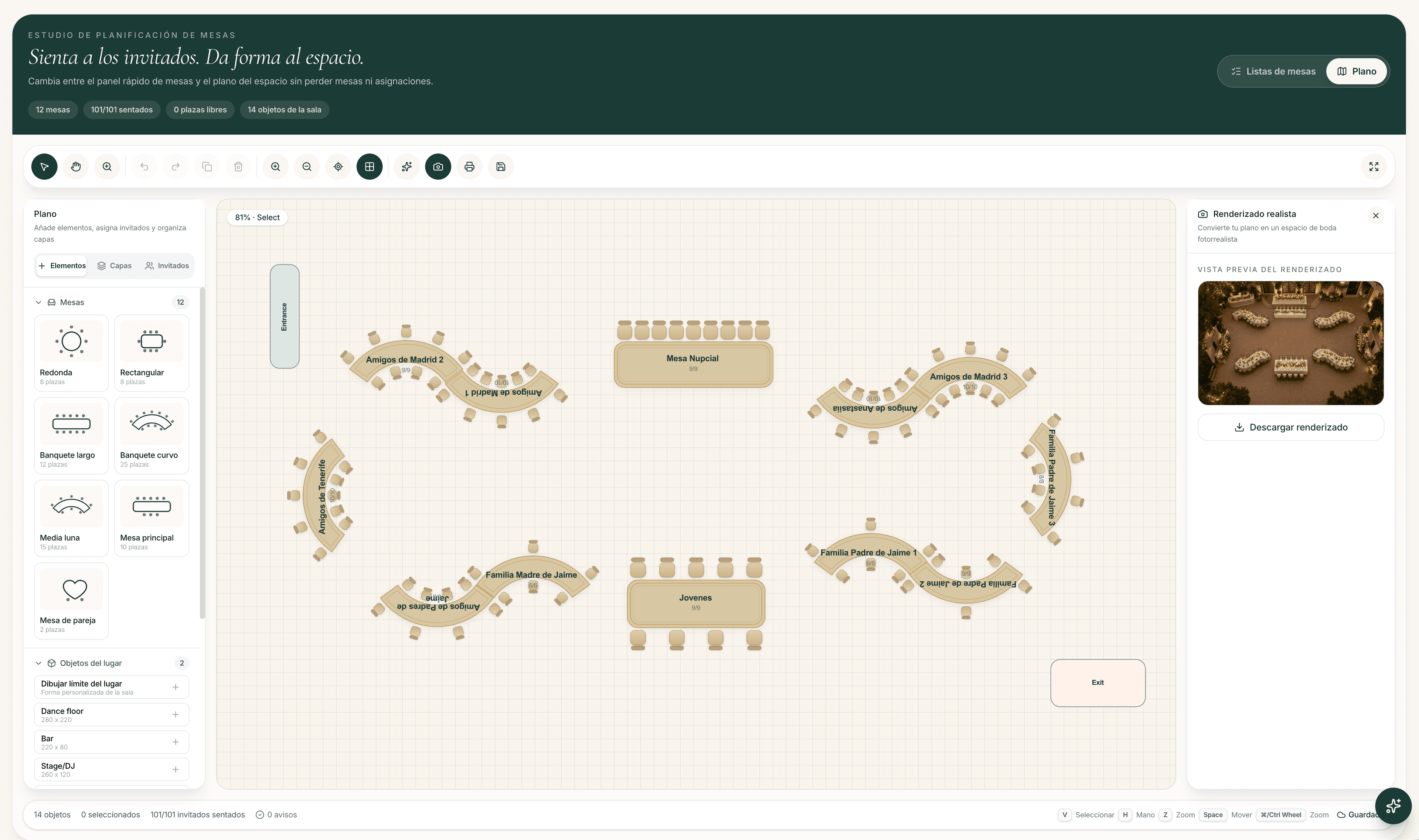
- Create the venue floor plan
- Publish the QR seating lookup
Confirmed guests remain the same people throughout. Attendance, meals, groups and seating rules stay attached instead of being rewritten into a new file every time the plan evolves.
When to start the seating plan
You can begin organising groups before the RSVP deadline. What you should avoid is finalising every seat while large numbers of responses are still outstanding.
A practical timeline looks like this:
Suggested seating timeline
- Before RSVPs close: organise families and obvious groups
- After most guests respond: create the first seating version
- Two to four weeks before: confirm table assignments
- Final days: manage cancellations without rebuilding everything
Early work should focus on structure — who belongs together, who needs to be apart, and which guests need careful placement. Seat-level finalisation belongs later, once the guest list is mostly stable.
Turning guest information into seating rules
RSVP data answers who is coming. Seating rules answer how they should be placed. The strongest plans turn guest context into clear constraints before anyone starts dragging names onto tables.
Examples:
- Partner → must sit together
- Close family → preferably same or nearby table
- Conflict → must not sit together
- Reduced mobility → near an accessible route
- Guest attending alone → place with a compatible group
- Shared language → useful seating preference
These rules make later changes faster. When someone cancels or a table capacity shifts, the system still knows which relationships and requirements must be preserved.
Using AI without losing control
AI can suggest a starting arrangement from relationships, groups and constraints. That is useful when the first blank seating chart feels overwhelming.
What AI should not do is make the final decision alone. Couples and planners still need to review the result, adjust sensitive placements and apply the social judgement that software cannot fully capture.
Treat AI as assistance: a draft that accelerates the first version, not an automatic plan you publish without checking.

Handling last-minute changes
Seating plans rarely stay untouched in the final weeks. The question is whether each change forces a rebuild across multiple files.
Common updates include:
- Guest cancellation
- New plus-one
- Meal update
- Table capacity change
- Separating or combining groups
In a connected system, the invitation list and seating plan stay aligned. A cancellation updates attendance in the guest directory. A new plus-one enters the same guest record. Meal changes remain available for catering without a separate spreadsheet sync.
That consistency is what prevents the wedding week from becoming a scramble between outdated charts.
From seating plan to wedding day
Once tables are assigned, guests still need a clear way to find their place on the day. A printed chart can work, but late changes make reprints painful.
With QR seating lookup:
- Generate the public seating lookup
- Display the QR code at the venue
- Guests search their name
- Their assigned table appears
- Late updates do not require reprinting the entire seating chart
The floor plan helps the couple, planner and venue understand the physical layout. The QR lookup helps guests act on the latest assignment without hunting through a wall of names.

Preguntas frecuentes
Can you use an RSVP guest list to create a seating plan?
Yes. When RSVPs are collected as structured guest records, confirmed attendance, plus-ones, meal choices and other details can feed directly into the seating plan instead of being copied into a separate spreadsheet.
What RSVP information matters most for seating?
Attendance status, plus-ones, meal choices, dietary restrictions, accessibility needs, language, family or party membership and any custom answers that affect placement all help create a better seating plan.
When should couples start the wedding seating plan?
Organise families and obvious groups before RSVPs close. Create the first seating version after most guests respond, confirm table assignments two to four weeks before the wedding, and leave room for final cancellations.
Is AI enough to finalise a seating plan?
No. AI can suggest a useful starting arrangement from relationships and constraints, but couples or planners should always review and adjust the result before it becomes final.
How do last-minute RSVP changes affect seating?
In a connected system, cancellations, new plus-ones and meal updates stay attached to the same guest records used for seating, so the invitation list and table plan do not drift into separate versions.
What is a QR seating lookup?
A public seating lookup lets guests scan a QR code at the venue, search their name and see their assigned table. Late updates can be published without reprinting the entire seating chart.