
Guide
Digital vs Paper Wedding Invitations: Cost, RSVP Rate and Seating Impact
Compare digital and paper wedding invitations on real cost, how fast guests RSVP, and what that choice means for your seating plan later.
The invitation choice is also an operations choice
Paper invitations feel traditional. Digital invitations feel practical. Most couples do not need to pick a side forever — they need a clear answer for budget, guest response speed and what happens after the RSVPs arrive.
This guide compares digital and paper wedding invitations across three decision points that actually affect the wedding: total cost, RSVP behaviour and seating-plan readiness. It also shows when a hybrid approach works best.
Quick comparison
Use this overview first, then dig into the sections that matter for your guest list size and planning style.
Digital vs paper at a glance
| Comparison | Paper invitations | Digital invitations |
|---|---|---|
| Typical cost for 100 guests | Often several hundred to a few thousand euros/dollars once design, printing, envelopes and postage are included | Usually a fraction of stationery spend — often covered inside a planning suite or modest invitation fee |
| Time to send | Design approvals, printing, addressing and mailing can take weeks | Publish and share a link the same day the invitation is ready |
| RSVP collection | Reply cards, post, email or WhatsApp messages — often scattered | Structured attendance, meals, plus-ones and notes in one place |
| Updates after sending | Changes usually mean reprints, stickers or separate messages | Schedule, maps, accommodation and FAQs can update live |
| Path to the seating plan | Names and meal notes often end up retyped into a spreadsheet | Confirmed guests can stay attached to the same guest directory used for seating |
| Best when | You want a keepsake object and have budget for full stationery | You want faster replies, lower cost and a cleaner planning workflow |
What paper invitations really cost
Paper stationery is rarely just “the invitation card”. The full stack usually includes design or customisation, printing, envelopes, reply cards, addressing, postage and sometimes save-the-dates or details cards.
For a wedding of around 100 guests, couples often underestimate:
- Per-invite printing cost multiplied by household count
- International postage for destination guests
- Rush fees if wording or guest numbers change late
- Extra stationery for plus-ones added after the first print run
- The hours spent addressing, stamping and chasing missing replies
Paper can still be worth it for the keepsake moment. The mistake is treating the quoted card price as the total invitation budget.
What digital invitations cost
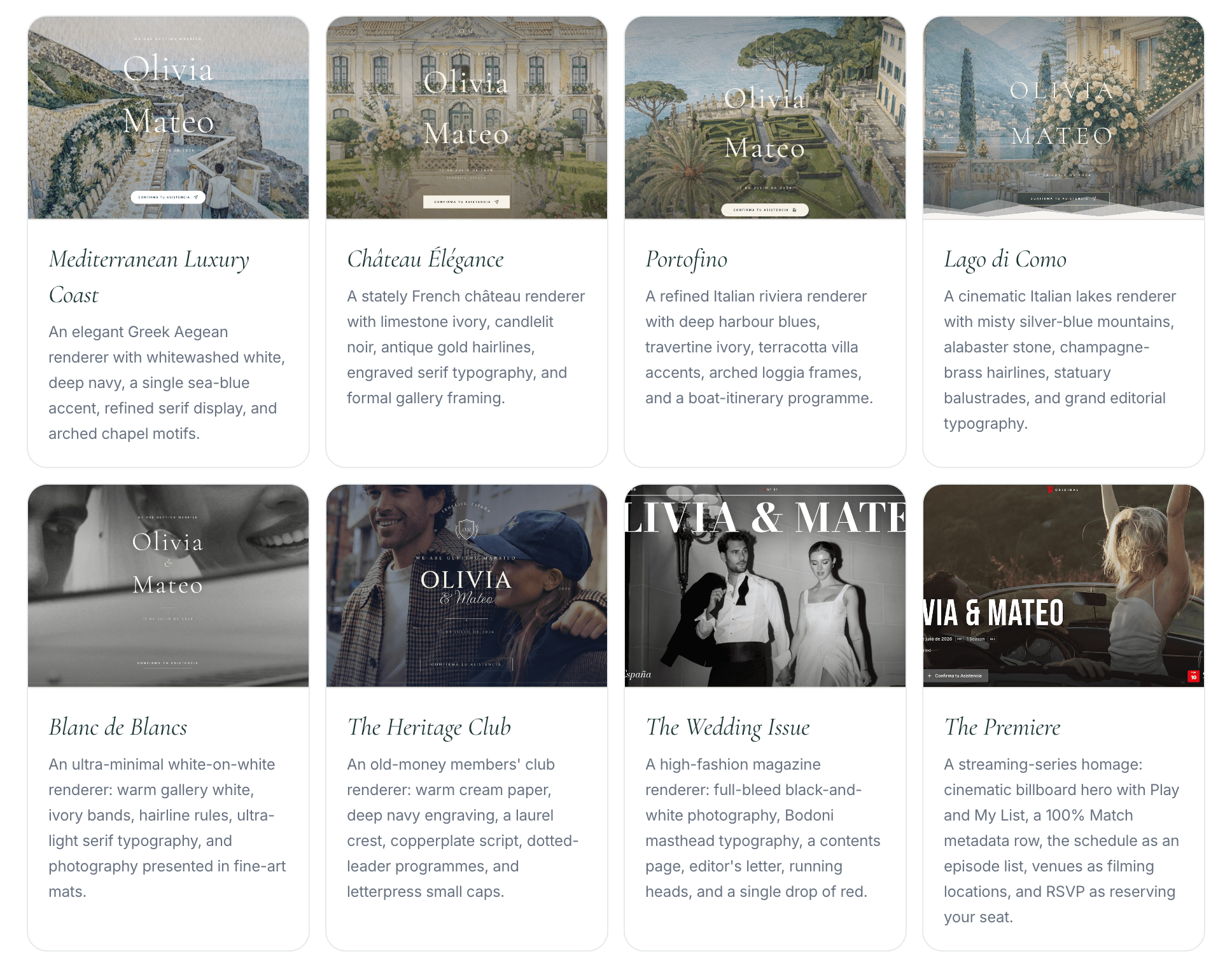
Digital invitations shift spend from printing and postage into software. Depending on the tool, that may be a free starter tier, a one-off invitation fee or part of a broader wedding-planning suite.
Typical digital cost advantages:
- No printing minimums or envelope runs
- No postage for each household
- Instant resends when a guest loses the link
- One invitation that can serve local and international guests
- Room to update details without a second print order
If your priority is a polished guest experience plus RSVP and seating later, paying for a connected planning tool usually costs less than a full paper suite — and removes more operational work.
RSVP rate: speed, clarity and follow-up
RSVP rate is not only about paper versus digital. It is about friction. Guests reply faster when the path is short, mobile-friendly and obvious.
Paper reply cards can work well when:
- Guests are used to formal stationery
- You include a stamped return envelope
- Someone is prepared to enter every reply by hand
They struggle when:
- Guests delay posting or lose the card
- Plus-ones and meal choices arrive as separate messages
- You need weekly visibility into who is still pending
Digital RSVPs usually improve response speed because guests can answer from WhatsApp, email or SMS in under a minute. Structured questions also reduce ambiguous replies such as “we’re coming — details later”.
The practical win is not a magic percentage. It is cleaner data: attendance, meal choice, dietary needs and plus-ones attached to each guest instead of scattered across cards, chats and notes.
Why invitation format affects the seating plan
This is the part most invitation comparisons skip. The invitation format decides how hard seating becomes later.
With paper-first workflows, couples often:
- Collect reply cards over several weeks
- Type names into a spreadsheet
- Chase meal choices separately
- Rebuild groups again in a seating tool
- Update everything when someone cancels
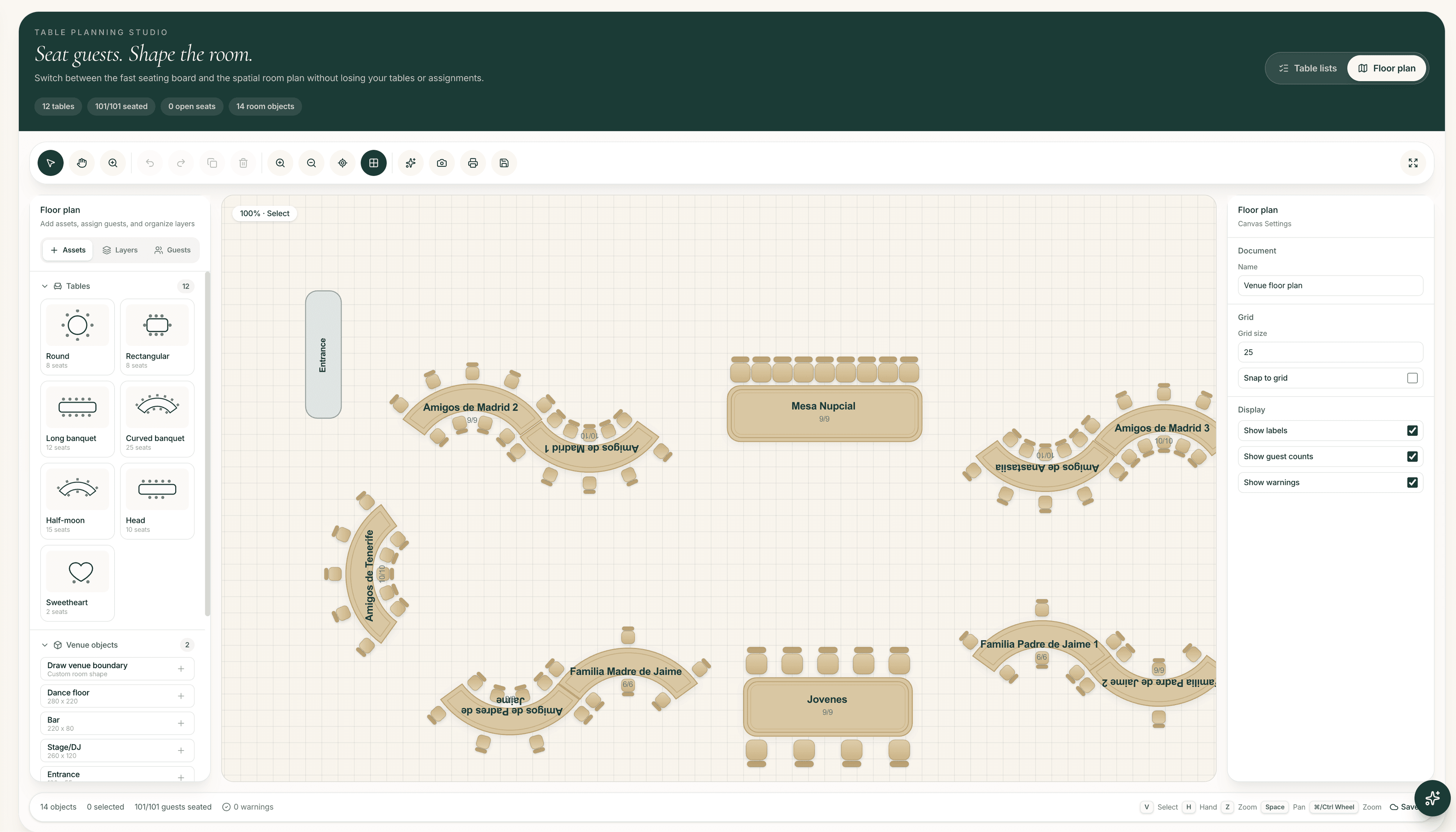
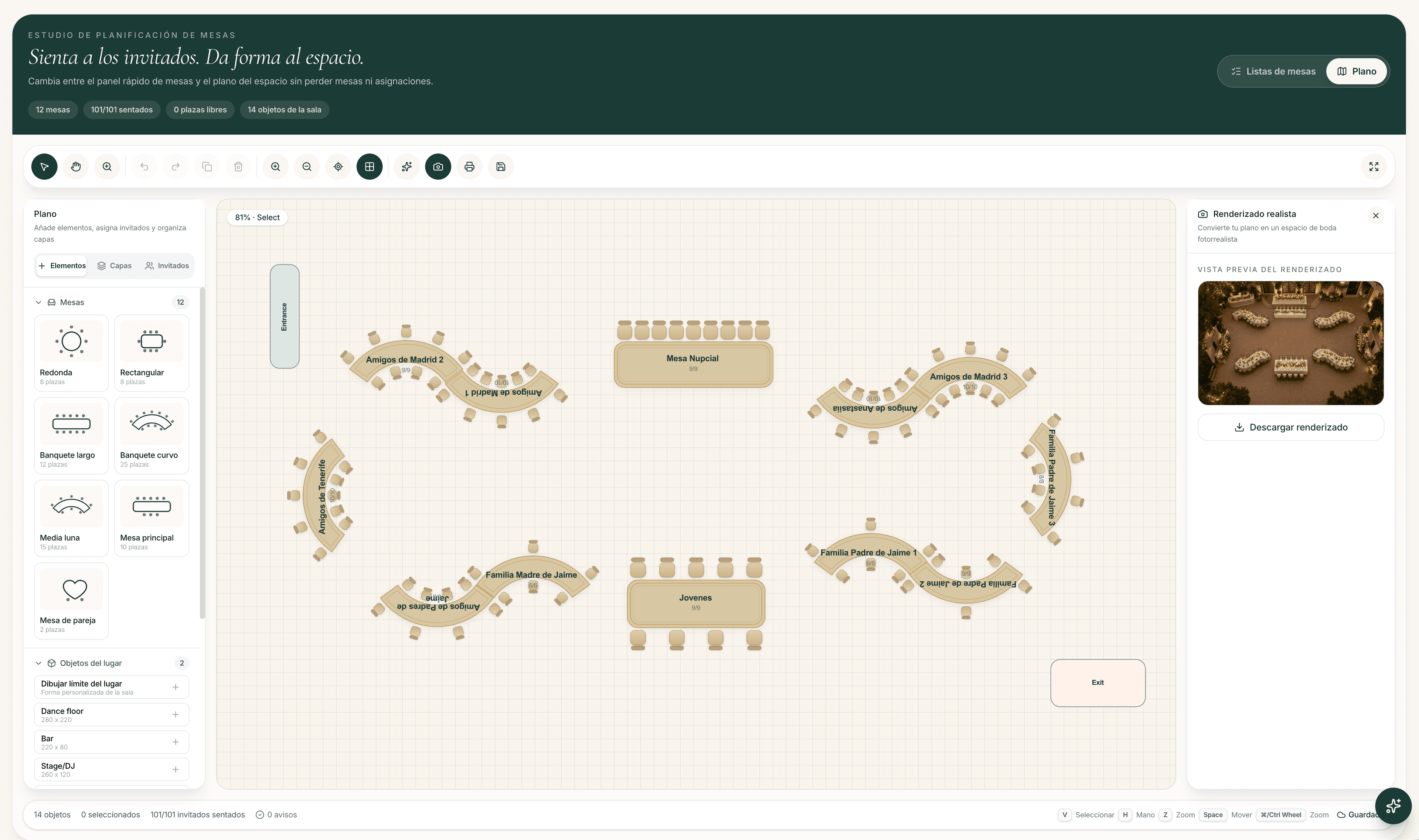
With a digital invitation connected to a guest directory, confirmed responses can stay attached to the same people you later seat. Meal choices, accessibility notes and party membership do not need to be reinvented in another file.
That connection is what turns invitation choice into a seating advantage: fewer handoffs, fewer outdated lists and a clearer path from RSVP to tables.
Guest experience: keepsake vs convenience
Paper wins on physical presence. Opening an envelope still feels special, especially for older guests or highly formal weddings.
Digital wins on usefulness after the first open:
- Maps and travel notes stay current
- Schedule changes do not require a reprint
- Accommodation and FAQs live in one link
- Bilingual content is easier for destination guests
- Mobile sharing fits how most guests already communicate
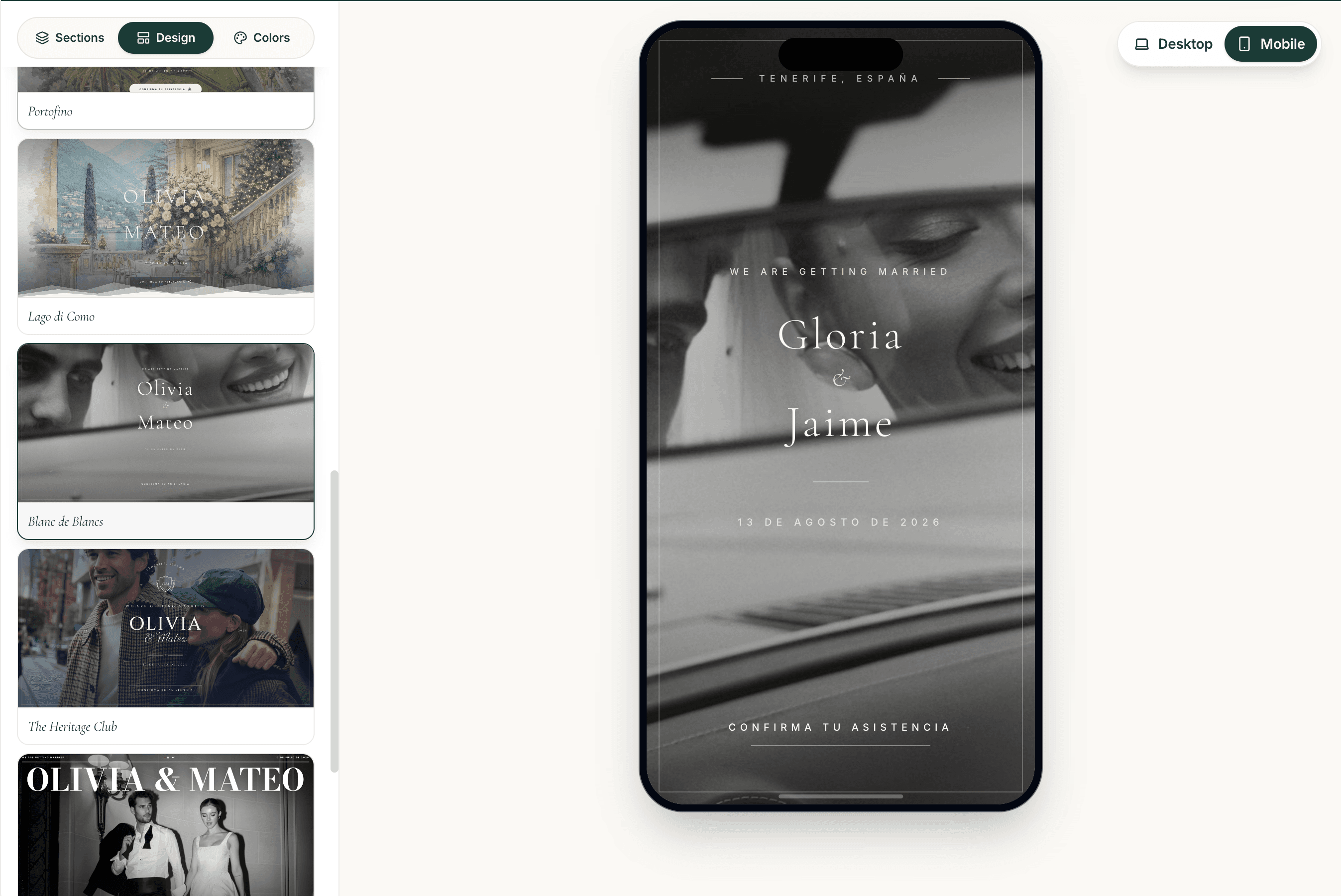
If a keepsake matters, you do not have to abandon paper. Many couples send a short printed piece and point guests to the digital invitation for details and RSVP.
The hybrid approach that often works best
A hybrid invitation keeps the romance of paper and the operations of digital.
A common pattern:
- Send a printed save-the-date or short invitation card
- Include a QR code or short URL to the wedding website
- Collect every RSVP digitally
- Update guest information live as replies arrive
- Build the seating plan from the same confirmed list
Printing a QR code for your public invitation URL is a sharing tip, not a separate product feature. The product QR later in The Wedy workflow is for seating lookup on the wedding day — guests scan it to find their table once seats are assigned.
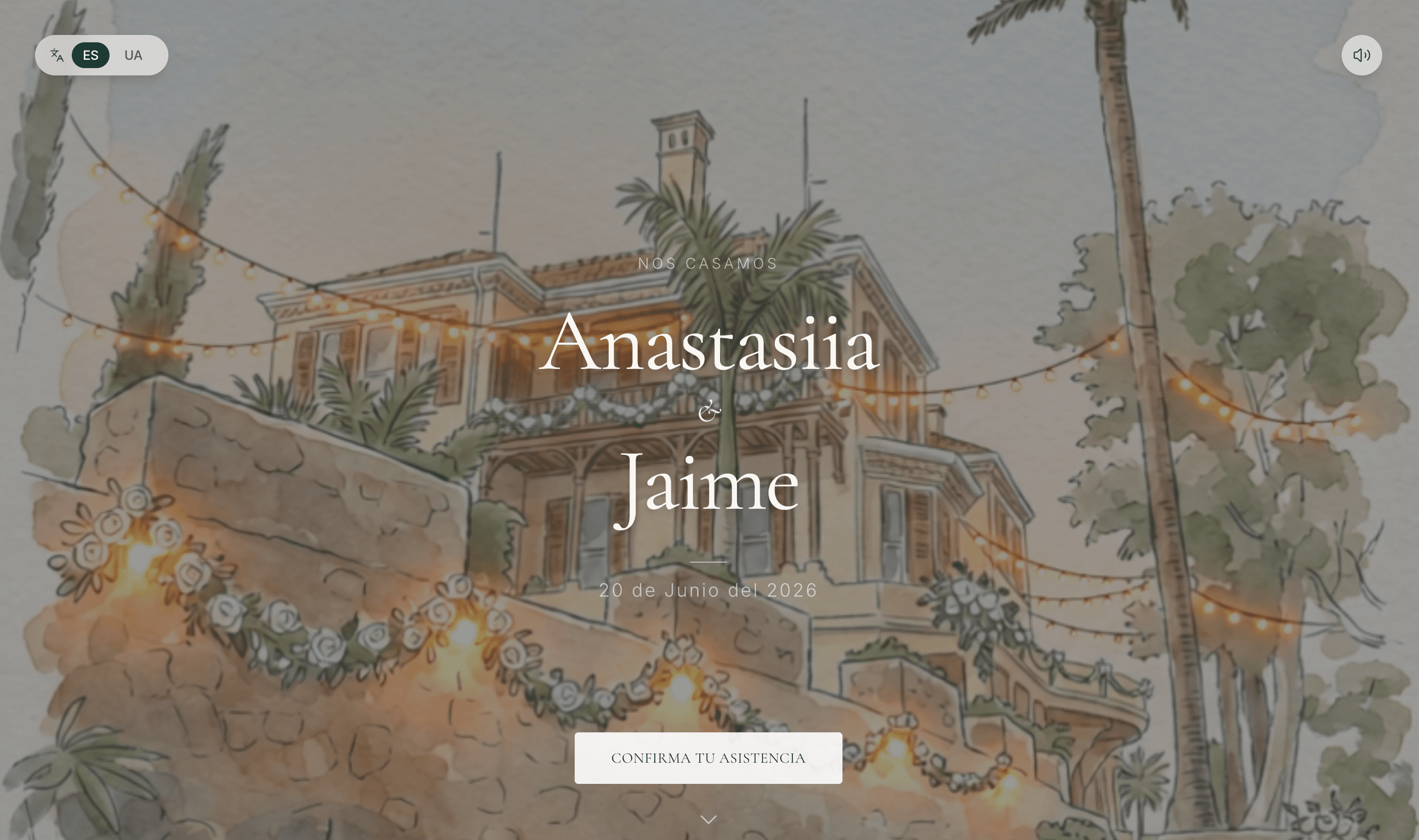
Hybrid checklist
- Decide which details stay on paper and which live online
- Use one canonical wedding link for all guests
- Collect RSVPs digitally even if the first touch is printed
- Keep meal and plus-one questions structured
- Plan seating from the same guest directory, not a second export
Which option should you choose?
Choose mostly paper if:
- Stationery is a core part of the wedding aesthetic
- Your budget already includes a full suite and postage
- You have help entering replies and chasing pending guests
Choose mostly digital if:
- You want lower cost and faster delivery
- Many guests are international or hard to reach by post
- You need live updates for schedule, travel or venue details
- You want RSVPs to feed seating without spreadsheet cleanup
Choose hybrid if:
- You want a keepsake object and an operational guest hub
- Some guests prefer paper while most will reply on their phone
- You still want one clean guest directory before seating starts
Frequently asked questions
Are digital wedding invitations cheaper than paper?
Usually yes, once printing, envelopes, postage and reprint costs are included. Digital invitations replace most of that stationery spend with a software fee or planning-suite subscription, which is typically much lower for the same guest count.
Do digital invitations get better RSVP rates?
They often get faster replies because guests can respond from a phone in one short flow. The bigger advantage is cleaner data: attendance, meals and plus-ones stay structured instead of arriving through mixed cards and messages.
Can we still use paper if we want digital RSVPs?
Yes. A hybrid approach works well: send a printed card or save-the-date, then point guests to a digital invitation for details and RSVP collection.
How do invitation formats affect the seating plan?
Paper-first workflows often force couples to retype replies into spreadsheets before seating. A digital invitation connected to a guest directory can keep confirmed guests, meals and notes attached for table planning.
Is a digital invitation less formal?
Not necessarily. Formality comes from design, wording and presentation. A well-designed digital invitation can feel as polished as stationery, especially when shared with clear event details and a personal guest link.
What should couples prioritise if budget is tight?
Prioritise a clear guest hub, structured RSVPs and a path to seating. Those reduce wasted spend and planning time more reliably than expensive printed extras that do not improve day-of organisation.
Continue reading
Related stories

How to Create a Digital Wedding Invitation in 10 Minutes
Create a professionally designed digital wedding invitation in minutes, collect RSVPs and keep using the same guest list when it is time to organise the seating plan.

Best Digital Wedding Invitations in 2026–2027
Compare the best digital wedding invitation options for 2026–2027, including design quality, mobile experience, RSVP management, bilingual support and the tools available after guests respond.

Can You Use Your RSVP Guest List to Create the Wedding Seating Plan?
Turn confirmed wedding RSVPs into an organised seating plan without copying guest information between spreadsheets and separate tools.