Recommendation
Best Digital Wedding Invitations in 2026–2027
Compare the best digital wedding invitation options for 2026–2027, including design quality, mobile experience, RSVP management, bilingual support and the tools available after guests respond.
Digital invitations now need to do more
Digital wedding invitations are no longer simply online versions of printed cards.
Couples increasingly expect them to:
- Look beautiful on mobile
- Be easy to create
- Include all essential wedding information
- Collect structured RSVPs
- Handle meal choices and dietary needs
- Support more than one language
- Give guests a smooth experience
- Continue being useful after invitations are sent
This recommendation compares digital invitation options based on both design quality and practical wedding-planning value.
A beautiful invitation is useful. A beautiful invitation that also organises your guests is much more valuable.
What to look for in a digital wedding invitation
When couples compare platforms, the evaluation should go beyond template count. Design quality, guest experience, RSVP structure and what happens after guests respond all matter.
Design quality
- Does it look professionally designed?
- Does it feel distinctive or generic?
- Does it work as well on mobile as desktop?
- Can the design suit the wedding venue and style?
- Can couples preview the complete guest experience?
Ease of creation
- How quickly can the invitation be created?
- Is the editor intuitive?
- Does the couple need design experience?
- Can information be updated after publishing?
- Is there a clear preview before sharing?
Guest experience
- Does the invitation open without downloading an app?
- Can guests navigate it easily?
- Is the text readable on mobile?
- Can guests find the location, schedule and accommodation?
- Can the invitation support multiple languages?
RSVP management
- Attendance
- Plus-ones
- Meal choices
- Dietary requirements
- Contact details
- Custom questions
- RSVP deadlines
- Pending-response tracking
What happens after the RSVP
This should be a major evaluation criterion. Ask whether the platform creates a usable guest list, whether that data can feed seating, whether couples can organise families and groups, and whether confirmed guests can be connected to a venue layout or wedding-day table lookup.
Why design quality matters
Many invitation platforms provide large template libraries, but quantity does not always mean quality.
The Wedy is built around curated design collections, editorial layouts, strong typography and premium visual presentation. Designs are created for complete wedding websites, with consistent desktop and mobile quality and styles suited to different types of weddings.
Rather than listing every available design here, the next section reviews selected invitations that demonstrate variety and quality across the collection.
Selected invitation template showcases
These selected designs show how different the collection feels once you move beyond generic wedding-website templates.
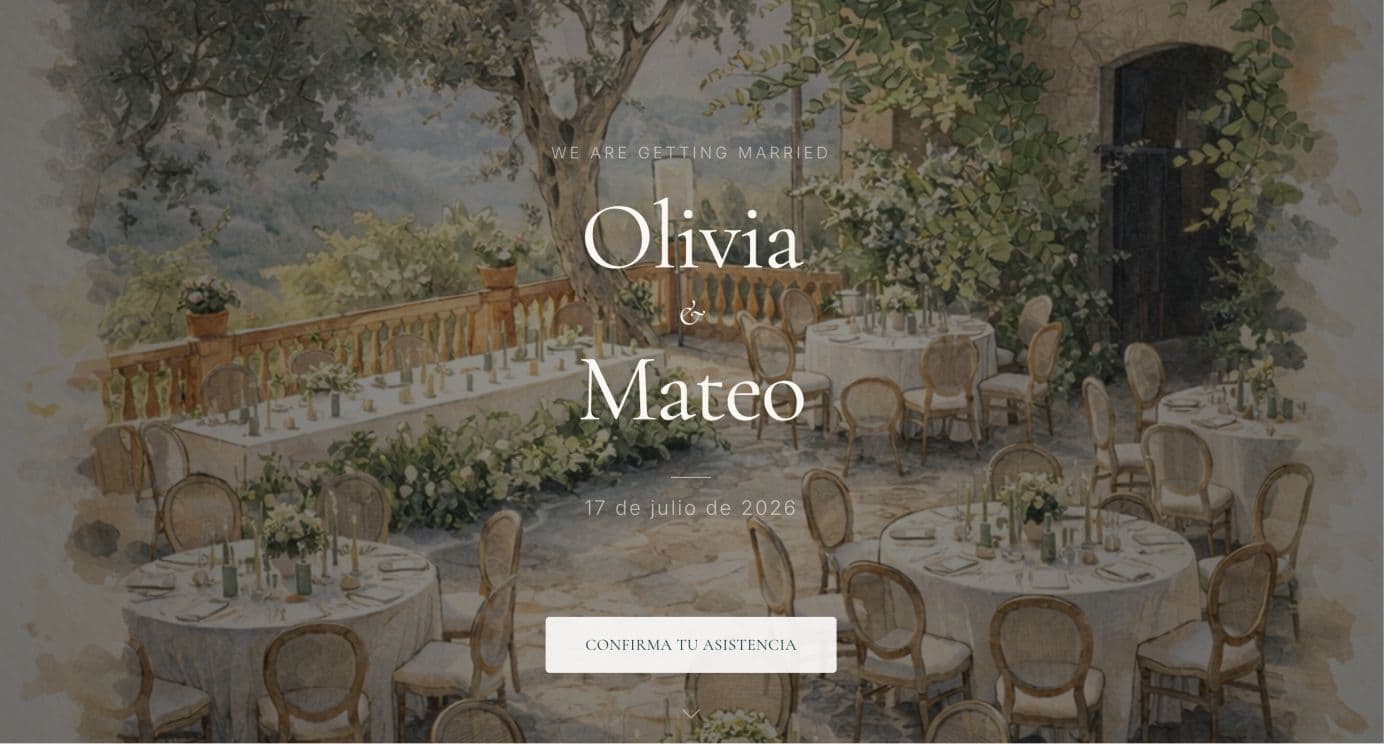
Mediterranean Invitation
Style overview
Sunlit cream paper, deep green accents and a cinematic opening that feels considered rather than generic.
Mood: Warm, editorial and destination-focused
Best suited for
- Venue types: Villas, fincas and coastal terraces
- Formality: Relaxed destination formality with elevated visual detail
- Couples: Couples hosting a sunlit weekend with bilingual guest groups
Key design strengths
- Hero presentation designed for mobile first
- Strong typography and cream-and-green colour palette
- Schedule, location and accommodation sections built in
- RSVP design that matches the invitation mood
Best suited for: Mediterranean destination weddings and couples who want warmth without template clutter.
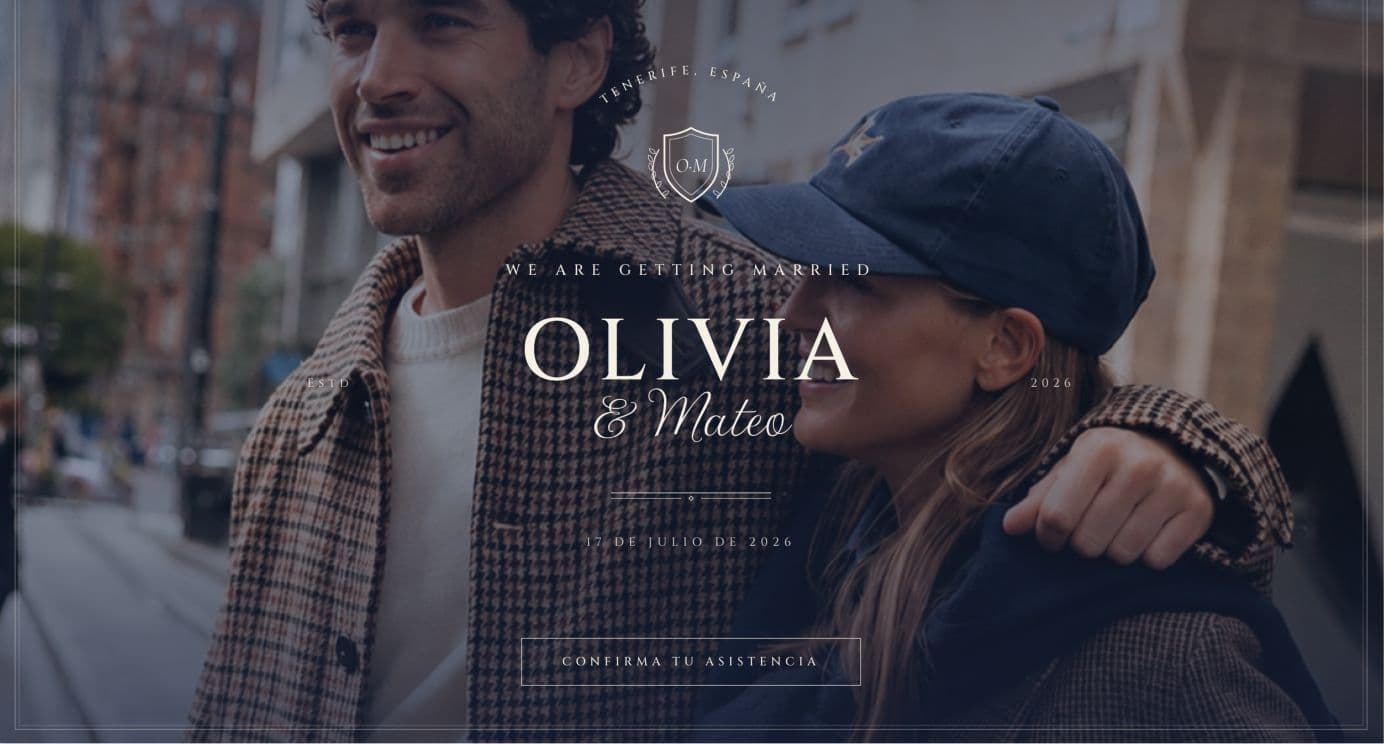
The Heritage Club
Style overview
Old-money members’ club styling with laurel crests, copperplate script and letterpress small caps.
Mood: Classic, formal and heritage-focused
Best suited for
- Venue types: Private clubs, townhouses and city hotels
- Formality: Formal
- Couples: Couples who want old-world stationery manners in a digital format
Key design strengths
- Laurel crest and copperplate script
- Dotted-leader programme layout
- Letterpress-inspired small caps and rules
- Formal RSVP presentation
Best suited for: Formal London or European weddings where tone and tradition matter.
Lago di Como
Style overview
Misty silver-blue mountain palette with grand editorial typography and cinematic photography.
Mood: Editorial, cinematic and destination-focused
Best suited for
- Venue types: Lake villas, terraced gardens and grand hotel terraces
- Formality: Elevated destination formality
- Couples: Design-conscious couples planning an Italian lakes celebration
Key design strengths
- Statuary balustrades and champagne-brass hairlines
- Grand editorial typography
- Photography treatment suited to destination venues
- Schedule and travel information presented with clarity
Best suited for: Destination weddings where the invitation should feel like a travel editorial.

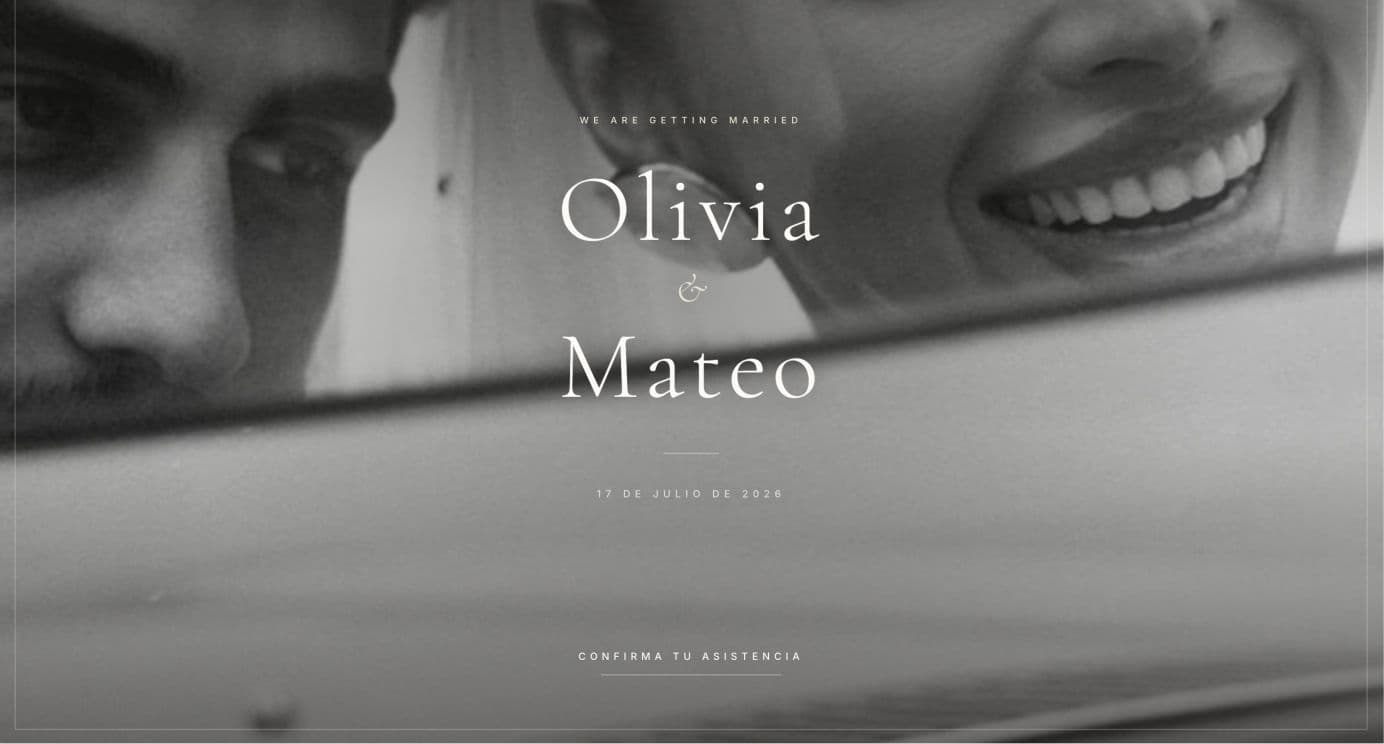
Blanc de Blancs
Style overview
Ultra-minimal white-on-white typography with gallery-white bands and photography presented like fine-art mats.
Mood: Modern, minimal and luxury-focused
Best suited for
- Venue types: Contemporary galleries, city rooftops and design-led spaces
- Formality: Quiet luxury
- Couples: Couples who prefer silence over decoration
Key design strengths
- Warm gallery white with ivory bands
- Ultra-light serif typography
- Photography presented in fine-art mats
- Clean mobile layout with restrained spacing
Best suited for: Silent-luxury weddings where every line should feel intentional.
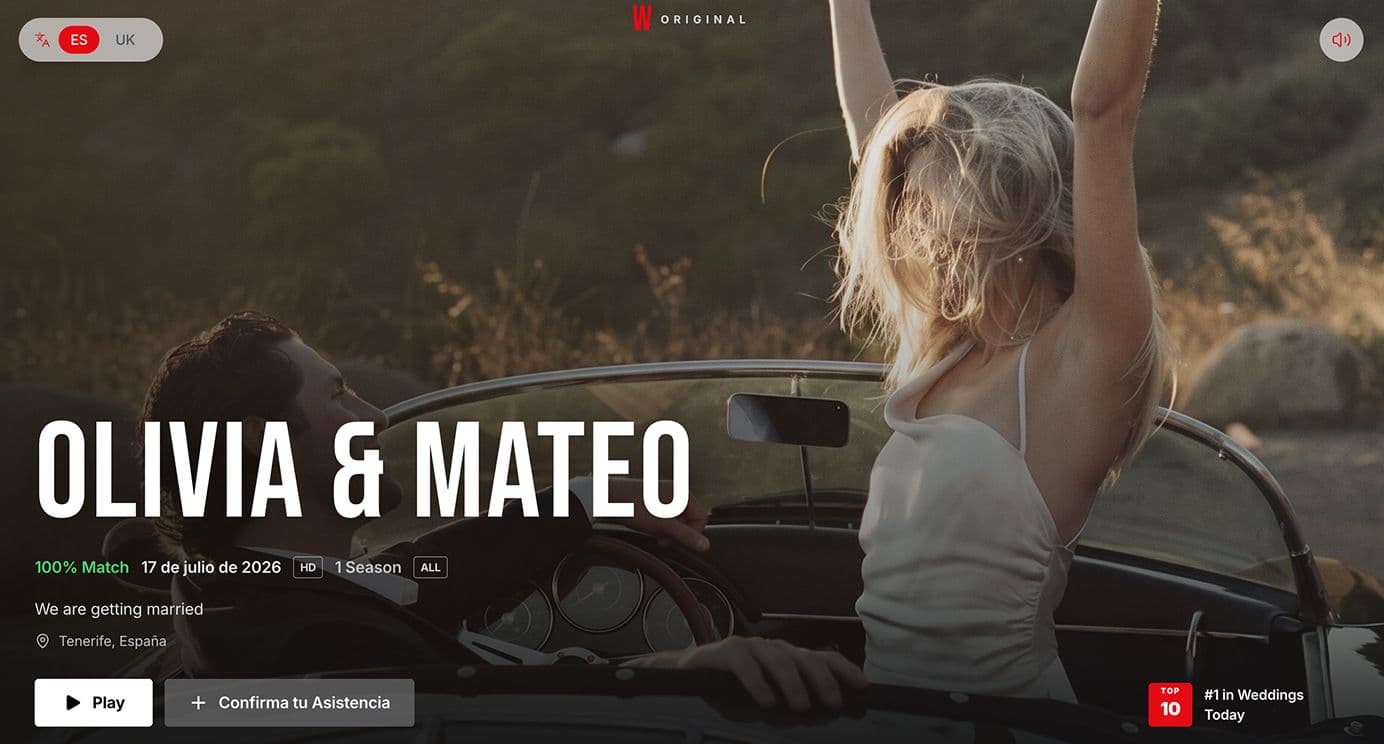
The Premiere
Style overview
A streaming-series homage with cinematic billboard hero, episode-list schedule and RSVP framed as reserving your seat.
Mood: Bold, modern and cinematic
Best suited for
- Venue types: Urban rooftops, industrial venues and contemporary spaces
- Formality: Contemporary and playful
- Couples: Couples who want a memorable, shareable first impression
Key design strengths
- Cinematic billboard hero
- Schedule presented as an episode list
- Venues styled as filming locations
- RSVP framed as reserving your seat
Best suited for: Modern weddings where the couple wants personality and a highly shareable digital experience.
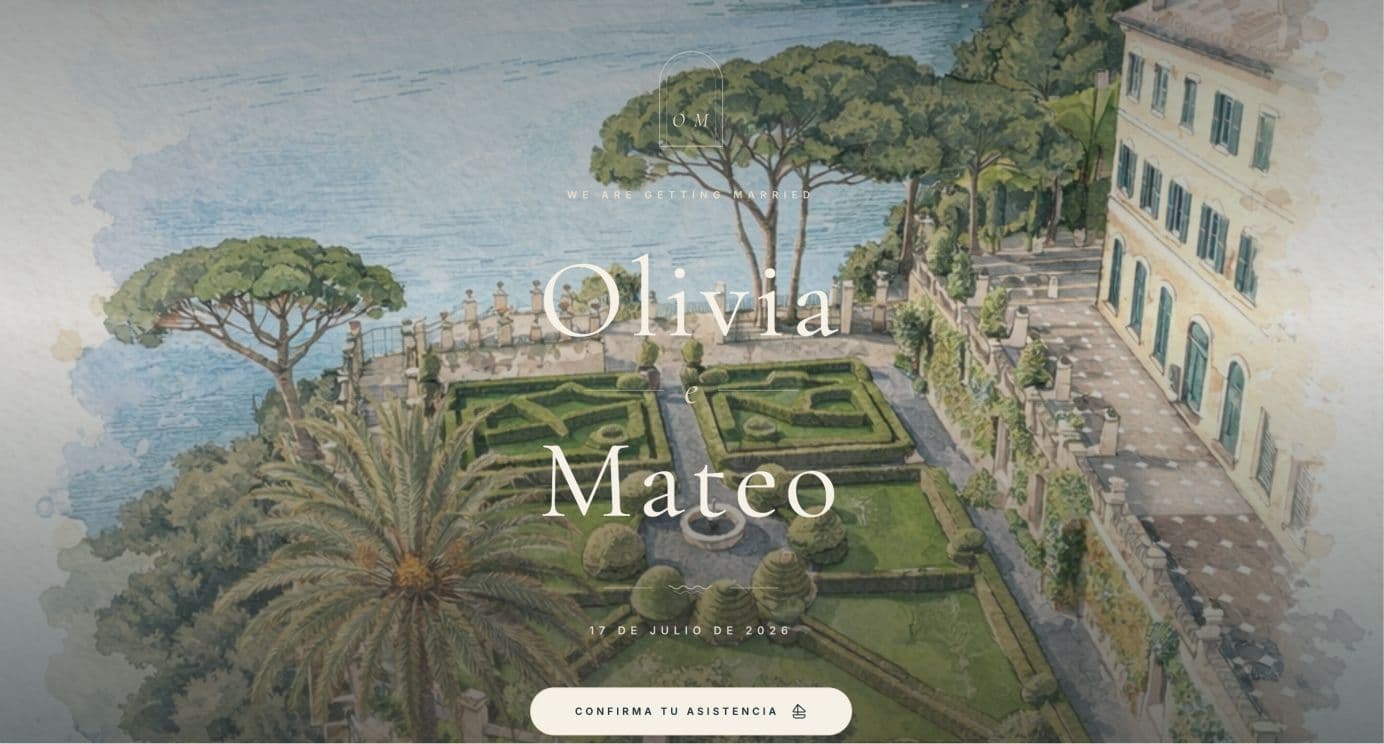
Portofino
Style overview
Harbour blues, travertine ivory and arched loggia frames with a boat-itinerary programme feel.
Mood: Romantic, coastal and destination-focused
Best suited for
- Venue types: Harbour restaurants, cliffside terraces and riviera hotels
- Formality: Stylish destination formality
- Couples: Couples hosting a stylish Italian weekend by the sea
Key design strengths
- Deep harbour blues with terracotta villa accents
- Arched loggia framing for photography
- Boat-itinerary programme styling for multi-day events
- Mobile layout suited to destination guest lists
Best suited for: Coastal destination weddings with a refined Italian mood.
How easy it is to create an invitation
Couples are not starting from an empty design canvas. The Wedy provides modular invitation sections including the hero, countdown, welcome, event details, schedule, location, dress code, accommodation, gifts, RSVP, FAQs and footer.
Recommended creation sequence
- 01
Create the wedding project
Start a project that will hold the invitation, guest list and later planning tools.
- 02
Select an invitation design
Choose a professionally designed template rather than building every screen from scratch.
- 03
Add names, date and venue
Enter the essentials every guest needs immediately.
- 04
Upload photographs or venue imagery
Use your own photography or generate a venue illustration with AI.
- 05
Add ceremony and reception information
Share locations, timings and the details guests usually ask for.
- 06
Configure the wedding schedule
Give guests a clear view of the day without repeated WhatsApp messages.
- 07
Add accommodation, dress code and FAQs
Turn the invitation into a complete guest-information page.
- 08
Configure RSVP questions
Collect attendance, meals, dietary needs, plus-ones and custom answers.
- 09
Preview the invitation
Check the complete guest experience before sharing.
- 10
Publish and share the link
Send personal links by WhatsApp, email or QR without rebuilding the layout.
Personalisation without rebuilding the design
Personalisation should preserve the quality of the original design. Couples can adapt the invitation to their wedding without turning it into an inconsistent collection of manually designed pages.
What you can personalise
- Accent colours
- Background styling
- Font choices
- Hero photographs
- Custom music
- Intro or loop video
- Custom monogram
- Personal domain
- Custom wedding information
“Couples can personalise the invitation without turning it into an inconsistent collection of manually designed pages.”
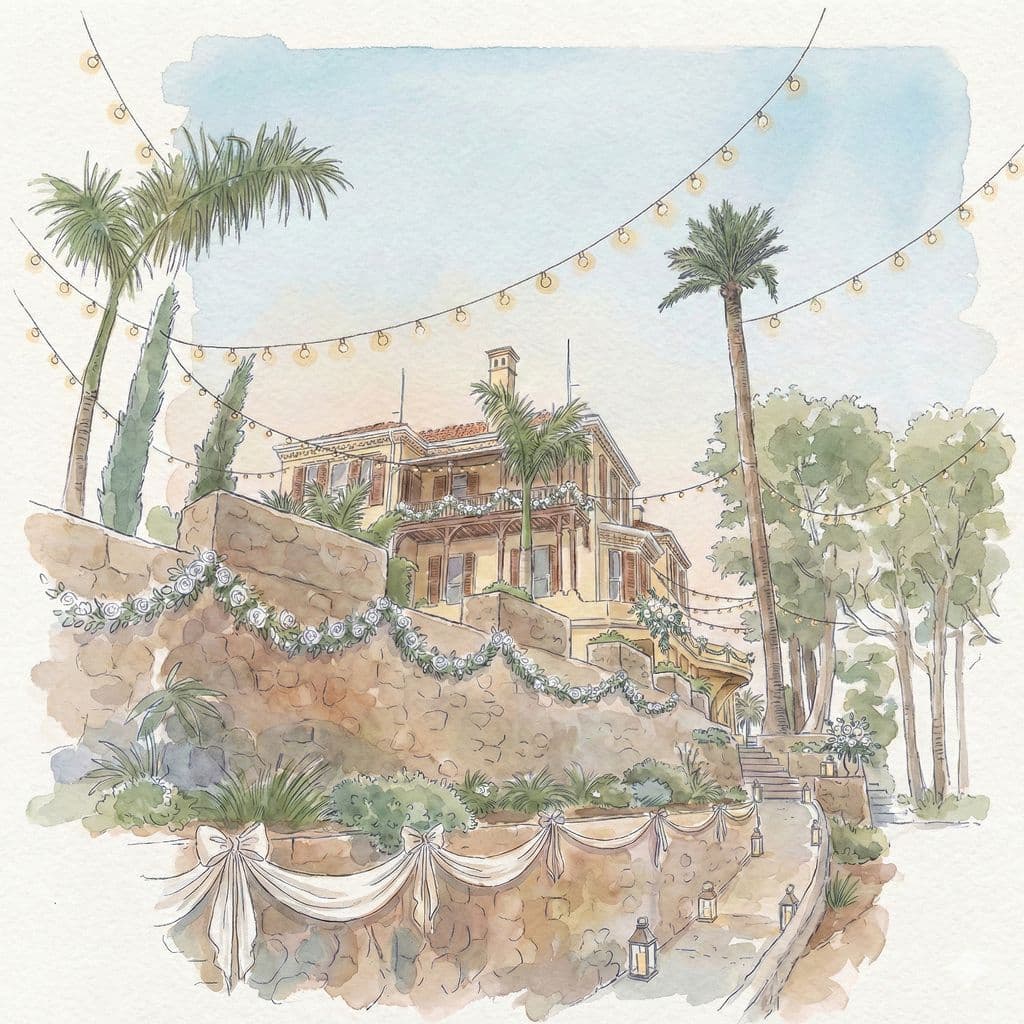
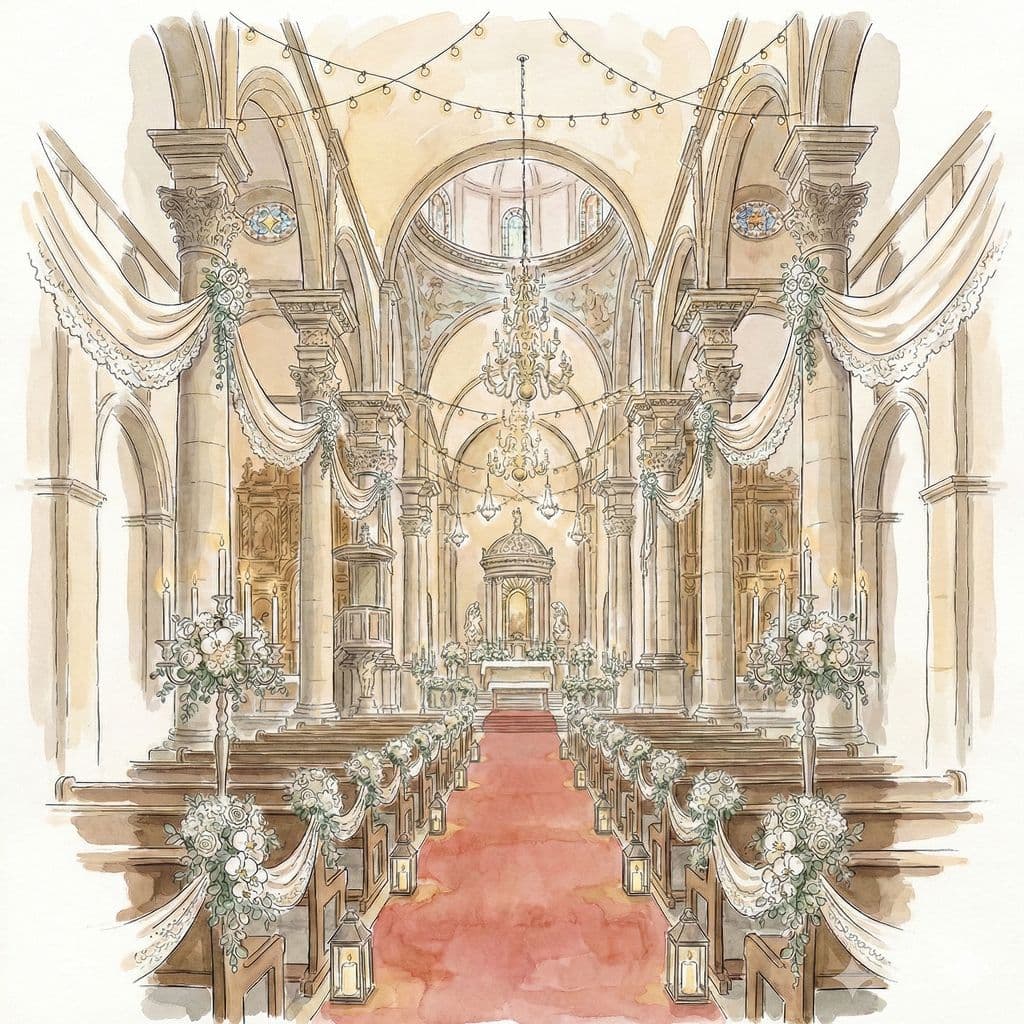
AI venue illustrations
Couples can upload a photograph of their church, villa or venue and transform it into a watercolour-and-ink illustration designed to fit the invitation aesthetic.
Original venue photograph → AI-generated illustration → Final invitation hero
Why couples use it:
- Personalises the invitation around the real venue
- Creates a distinctive visual identity
- Feels more considered than using a generic stock image
- Can be used for ceremony or reception imagery
- Connects the digital invitation to the physical wedding location
More than a static invitation
A digital invitation should act as the central guest-information page. Instead of answering the same questions repeatedly in WhatsApp, couples can direct guests to one clear source of information.
The invitation can include:
Modular sections inside the invitation
- Wedding date and countdown
- Ceremony details
- Reception details
- Schedule
- Maps and locations
- Dress code
- Accommodation
- Gifts
- FAQs
- Custom sections
- RSVP form
“Instead of answering the same questions repeatedly in WhatsApp, couples can direct guests to one clear source of information.”
Personal guest links and RSVP management
There is a practical difference between sending one generic link and using individual guest links. The Wedy supports personal guest links for tracked invitations and structured RSVP collection.
Information couples can collect:
- Attendance
- Phone number
- Plus-one details
- Meal choices
- Dietary restrictions
- Custom text answers
- Selectable options
- Checkbox confirmations
- Party-level or individual responses
Benefits of structured RSVPs
- Fewer manual replies
- Clear pending and confirmed statuses
- Better data accuracy
- Less copying between tools
- Easier follow-up with guests
- Immediate creation of an organised guest directory
The problem with invitation-only platforms
Many products stop once the invitation looks good. That leaves couples with a fragmented workflow after guests start responding.
Common problems
- The invitation looks good but does not manage the wedding
- RSVP answers need to be copied into a spreadsheet
- Dietary information becomes scattered
- Plus-one details are incomplete
- Couples create another document for seating
- Guest groups need to be rebuilt manually
- Late changes are difficult to track
- The final table plan is disconnected from the invitation
Without an integrated platform, the workflow often looks like this:
Create invitation → collect replies → update spreadsheet → chase missing information → copy confirmed guests elsewhere → create seating plan → build venue layout → print a seating chart
The Wedy workflow
The Wedy connects invitations, RSVP management, guest organisation, seating and floor planning in one workspace.
The integrated alternative:
Create invitation → send personal links → collect structured RSVPs → build the guest directory automatically → organise couples, families and groups → assign guests to tables → create the venue floor plan → share a QR table lookup
“The information entered by guests continues to be useful throughout the planning process.”
From guest list to seating plan
Once guests respond, the same guest data can be used to arrange the reception. Most invitation products stop when the guest responds. The Wedy uses that response as the beginning of the seating workflow.
Relevant seating features
- Drag-and-drop table arrangement
- Couples and family groups
- Guest relationships
- Must-sit-together rules
- Prefer-to-sit-together rules
- Avoid-sitting-together rules
- Accessibility requirements
- Language preferences
- VIP placement
- Locked seats
- AI-assisted seating suggestions
- Last-minute updates
“Most invitation products stop when the guest responds. The Wedy uses that response as the beginning of the seating workflow.”
QR seating lookup
After the seating plan is finished, couples can create a public seating lookup and generate a shareable QR code. Guests scan the code at the venue, search for their name and see their assigned table.
How guests find their table
- 01
Create a public seating lookup
Publish the finished seating plan as a guest-facing lookup page.
- 02
Generate a shareable QR code
Display the QR at the entrance instead of a crowded printed chart.
- 03
Guests scan and search
They open the page on their phone and search for their name.
- 04
Their assigned table appears
They see the result immediately and head straight there.
Benefits on the wedding day
- Reduces crowding around a printed chart
- Helps guests find their table quickly
- Supports last-minute seating updates
- Avoids reprinting a large display
- Creates a smoother arrival experience
- Connects the digital invitation to the wedding day
Bilingual and international weddings
Multilingual functionality matters when the guest list spans countries, generations or travel logistics. The Wedy supports localised invitation content and a language switcher on the public invitation.
Especially useful for:
- International weddings in Spain
- Couples from different countries
- Destination weddings
- Guests who speak different languages
- Weddings with overseas accommodation and travel information
Why it helps:
- Separate content per language
- Guest-facing language selection
- Clearer travel and event information
- Fewer misunderstandings
- A more inclusive guest experience
Who The Wedy is best for
The Wedy is particularly useful for
- Couples who care strongly about design
- Weddings with 80 or more guests
- Destination weddings
- Bilingual weddings
- Weddings with meal choices
- Weddings with dietary requirements
- Couples managing complicated family groups
- Couples who want to avoid spreadsheets
- Couples planning seating after RSVPs
- Wedding planners working with client guest lists
The Wedy may be more than needed when
- The wedding is extremely small
- No RSVP collection is required
- The couple only wants a static image
- No seating plan will be created
Being transparent about fit makes the recommendation more credible. The strongest product is the one that matches the actual wedding workflow.
Design-only tools versus complete wedding platforms
Capability comparison
| Comparison | Static invitation tool | Invitation and RSVP tool | The Wedy |
|---|---|---|---|
| Professionally designed invitation | Yes | Yes | Yes |
| Mobile wedding website | Sometimes | Yes | Yes |
| Structured RSVPs | No | Yes | Yes |
| Personal guest links | Rarely | Sometimes | Yes |
| Guest directory | No | Sometimes | Yes |
| Bilingual content | Sometimes | Sometimes | Yes |
| Seating-plan integration | No | Rarely | Yes |
| Relationship-aware seating | No | No | Yes |
| Venue floor plan | No | No | Yes |
| QR table lookup | No | No | Yes |
This comparison stays at the capability level. The goal is to help couples evaluate categories of tools, not to make unsupported claims about named competitors.
Cost and value
The lowest-priced invitation is not necessarily the best-value solution. Couples often underestimate the cost of stitching several tools together.
A separate-tool workflow may otherwise require:
- Invitation builder
- RSVP platform
- Guest spreadsheet
- Seating tool
- Floor-plan software
- Printed seating display
The Wedy offers a one-time Wedding Invitation plan and a broader Wedding Planning Suite. The invitation plan currently includes the wedding website, RSVP management, guest list, bilingual support and public seating lookup. The Planning Suite adds AI seating and floor-plan functionality.
Value should also include:
- Time saved
- Reduced duplication
- Fewer guest-data errors
- Easier last-minute changes
- Less coordination between platforms
Objections and answers
Do guests need to download an app?
No. Guests access the invitation through a shareable web link on their phone or browser.
Is it easy for older guests?
The experience is mobile-first and link-based, with clear navigation for schedule, location, accommodation and RSVP.
Can details be edited after publishing?
Yes. Couples can work through draft, preview and published states, then update information as plans change.
Can we use more than one language?
Yes. The Wedy supports bilingual invitation content and a guest-facing language switcher.
Can we use our own photographs?
Yes. Couples can use hero images, venue photography and optional AI venue illustrations.
Can we still have printed stationery?
Yes. Digital invitations can complement printed save-the-dates or formal stationery while handling the working guest workflow online.
What if guests do not respond?
Live attendance statuses make it easy to identify pending guests and follow up without rebuilding a spreadsheet.
Can we use the guest list for seating?
Yes. This is one of the central differences: the same guest directory can continue into seating and floor planning.
When couples should create the invitation
Couples should create their invitation before they need to send formal invitations, collect meal selections, confirm attendance numbers, organise accommodation, provide travel instructions, start the seating plan or send final wedding updates.
“The earlier the guest information is collected in one structured system, the easier the later planning stages become.”
Final recommendation
“Some platforms help couples send a beautiful digital invitation. The Wedy connects the entire guest journey: from opening the invitation and submitting an RSVP to receiving a table assignment on the wedding day.”
The three primary benefits to weigh:
- High-quality invitation design
- Structured guest and RSVP management
- A continuous workflow from guest list to seating plan and QR lookup
If you only need a static image with no RSVP collection, a simpler tool may be enough. If you want the invitation to stay useful after it is sent, The Wedy is the stronger choice.
Frequently asked questions
Do guests need to download an app for a digital wedding invitation?
No. Guests open a shareable web link on their phone or browser. There is no app download required to view the invitation or submit an RSVP.
What should a digital wedding invitation include in 2026–2027?
At minimum: mobile-first design, essential wedding information, structured RSVPs, meal and dietary options, and a smooth guest experience. The strongest platforms also support bilingual content and continue into guest management and seating.
Can The Wedy handle bilingual wedding invitations?
Yes. You can maintain separate content per language and give guests a language switcher on the invitation itself.
Does The Wedy include seating plans?
Yes. RSVPs feed the guest directory, which then powers drag-and-drop seating, relationship rules, AI-assisted suggestions and a QR table lookup for the reception.
Can details be edited after the invitation is published?
Yes. Couples can update wedding information, RSVP settings and guest-facing details after publishing, then share the same link again as plans change.
How long does it take to publish a digital invitation?
Most couples can choose a template, add core details and publish a guest-ready invitation without designing every section from scratch.