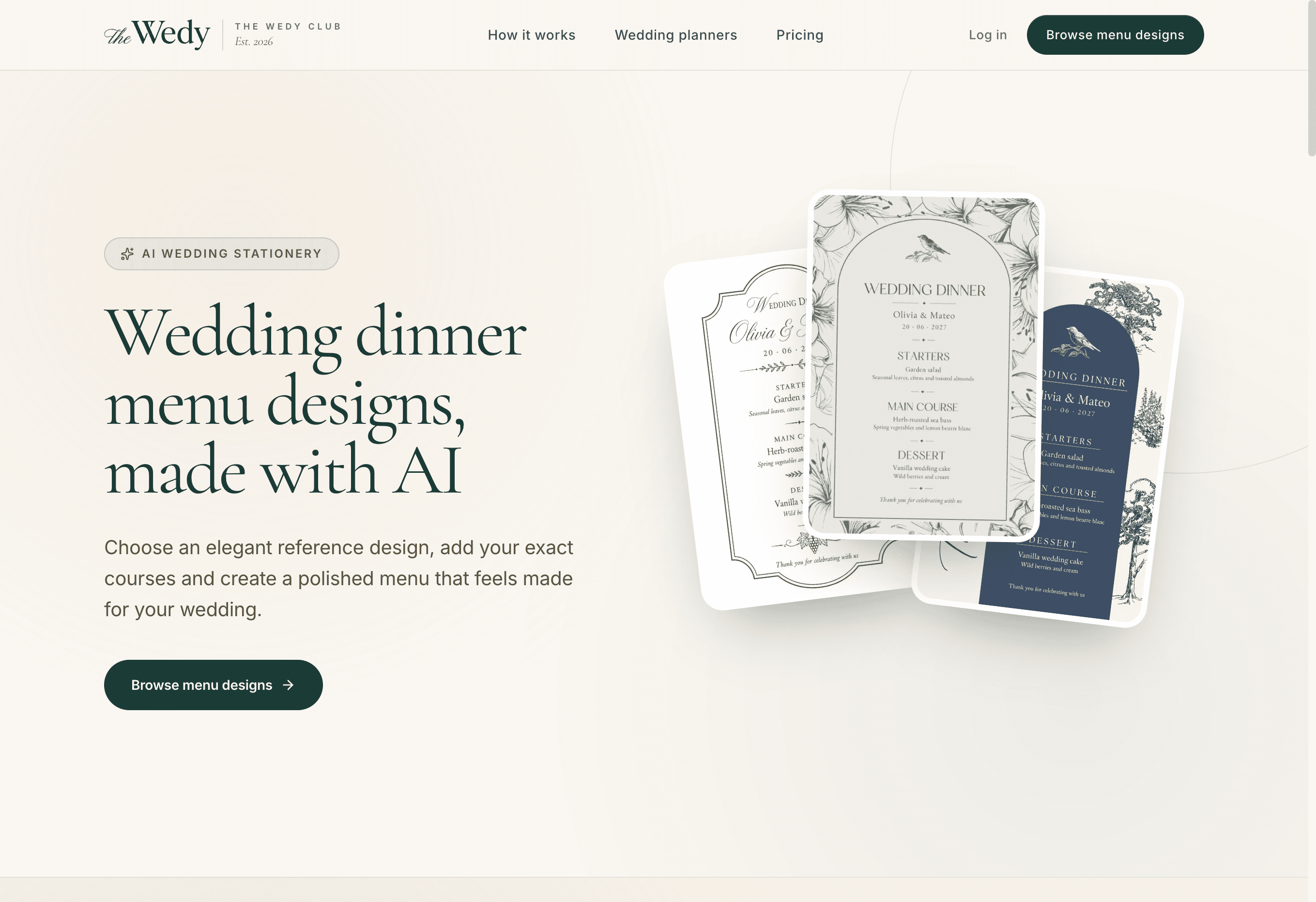
Guía
How to Create a Wedding Dinner or Lunch Menu (With Free Templates)
A practical guide to wedding lunch and dinner menus: how to choose the courses, write the card, and use The Wedy’s free templates included on every plan.
Guests actually read this card
Most wedding stationery is looked at once. The menu sits on the table for the whole meal. Guests pick it up while they wait, check what is coming, and often take it home. That makes it one of the few printed pieces that has to work as both design and information.
This guide covers lunch and dinner the same way: what a menu card is for, the eight free templates included on every The Wedy plan, how to choose courses that the kitchen can actually serve, and how to write a card that stays readable once it is printed.
What a wedding menu card is for
A menu card is not a second invitation. It does not need the venue address, the schedule or a gift note. It has one job: tell each guest what they are about to eat, in a tone that matches the rest of the day.
A good card does four things:
- Sets the rhythm of the meal — starter, main, dessert, or the longer lunch sequence
- Names dishes clearly enough that guests with allergies or preferences can see what is coming
- Matches the invitation, table numbers and other stationery so the room feels considered
- Leaves a small keepsake at each setting without turning into a booklet
If guests already chose a main course on the RSVP, the card still matters. It confirms what they selected, shows the shared courses, and gives the table something finished to look at while speeches or service begin.
Lunch or dinner: the card stays, the meal changes
In many destinations — especially Spain, Italy and the Mediterranean — the wedding meal is lunch, not a late dinner. The stationery can be the same. The courses, timing and how heavy the food is should not be.
Write the title as guests will say it: Wedding lunch, Wedding dinner, Menú de comida, Menú de cena. Do not force “dinner” onto a 2pm reception because the template sample used that word.
How the meal usually differs
| Comparison | Wedding lunch | Wedding dinner |
|---|---|---|
| Typical start | Early to mid afternoon | Evening, after cocktail hour |
| Pace | Longer, more social, often more courses | Tighter, with speeches and dancing soon after |
| Weight of food | Lighter mains, more vegetables, room for a long afternoon | Richer mains are fine if dancing comes later |
| Useful extra course | A cold starter or shared first plates | A canapé note only if they are part of the table |
| Dessert | Cake plus fruit, a light plated dessert, or both | Cake, a plated dessert, or a sweet table later |
| Card title | Wedding lunch / Menú de comida | Wedding dinner / Menú de cena |
The eight free templates on every plan
The Wedy includes a full dinner and lunch menu collection on every wedding plan — Wedding Invitation, Wedding Planning Suite and Wedding Atelier. You do not buy the designs separately. Choose a reference style, type your exact courses, and generate a finished portrait card.
Each plan includes five AI generations, so you can revise wording or try another design without losing earlier versions. The download is a high-quality PNG, ready to send to a printer or print at home.
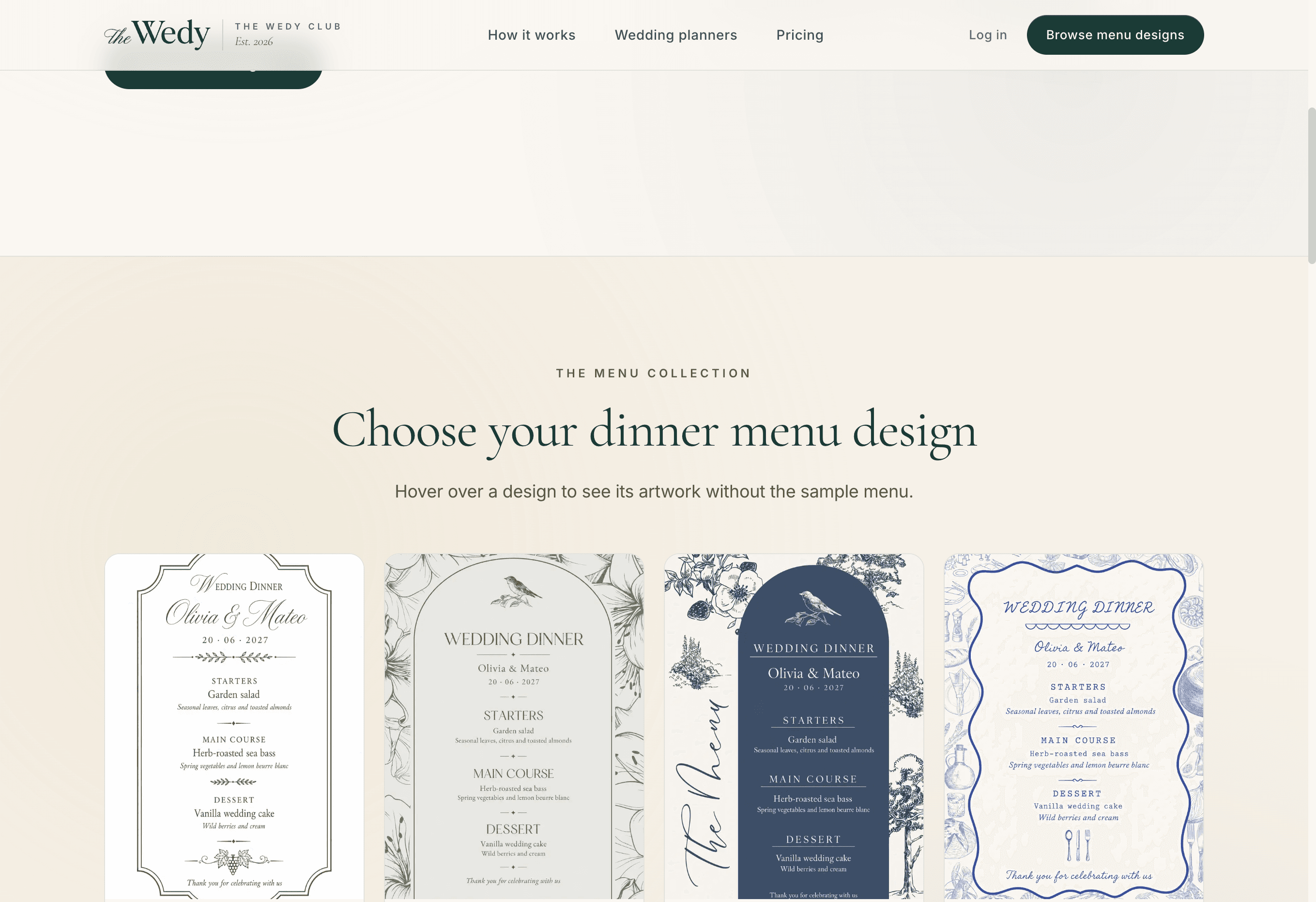
The current collection:
Which template fits which wedding
| Comparison | Look | Best for |
|---|---|---|
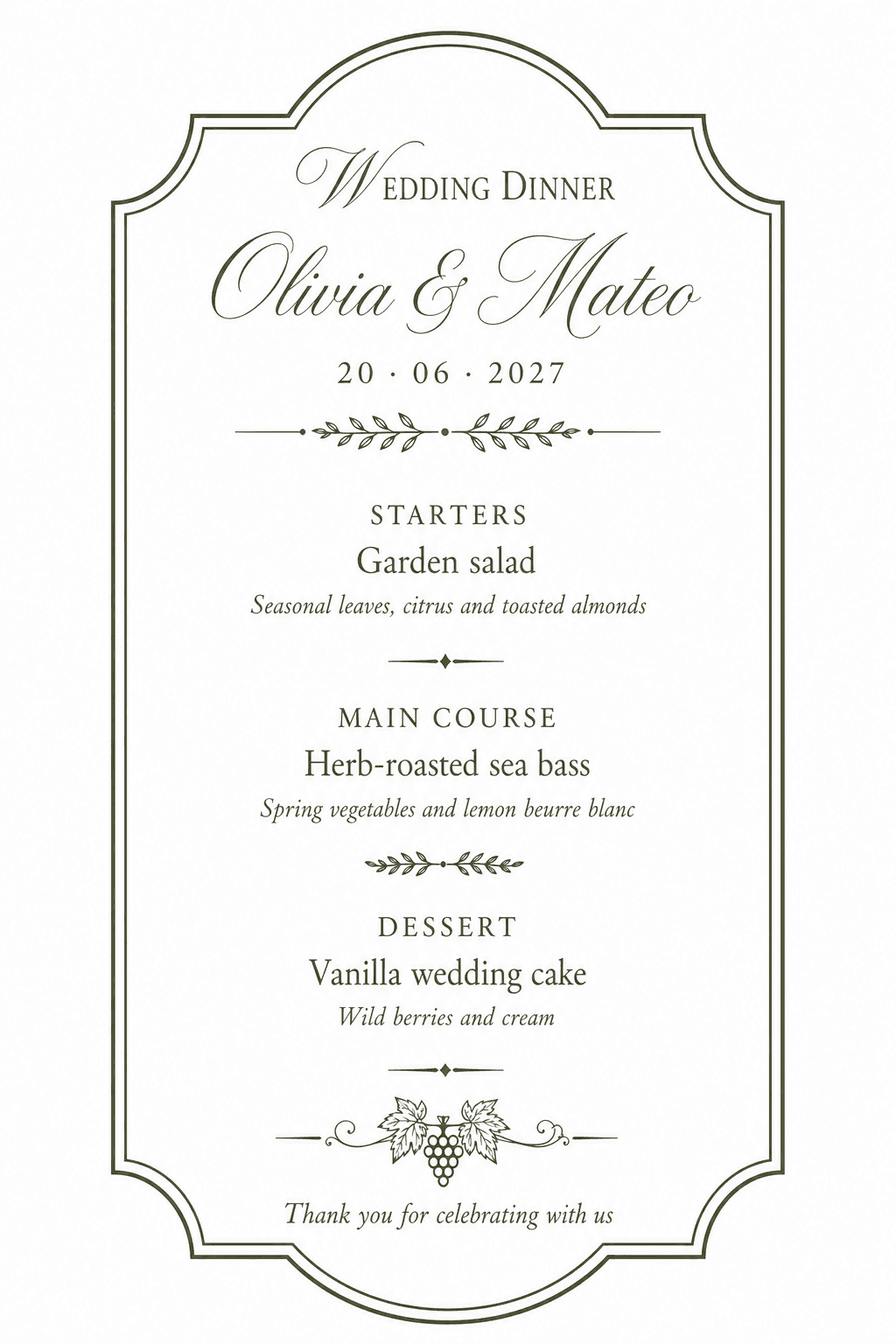
| Heritage | Classic cream card, fine border, vintage flourishes | Formal dinners, ballrooms, traditional church weddings |
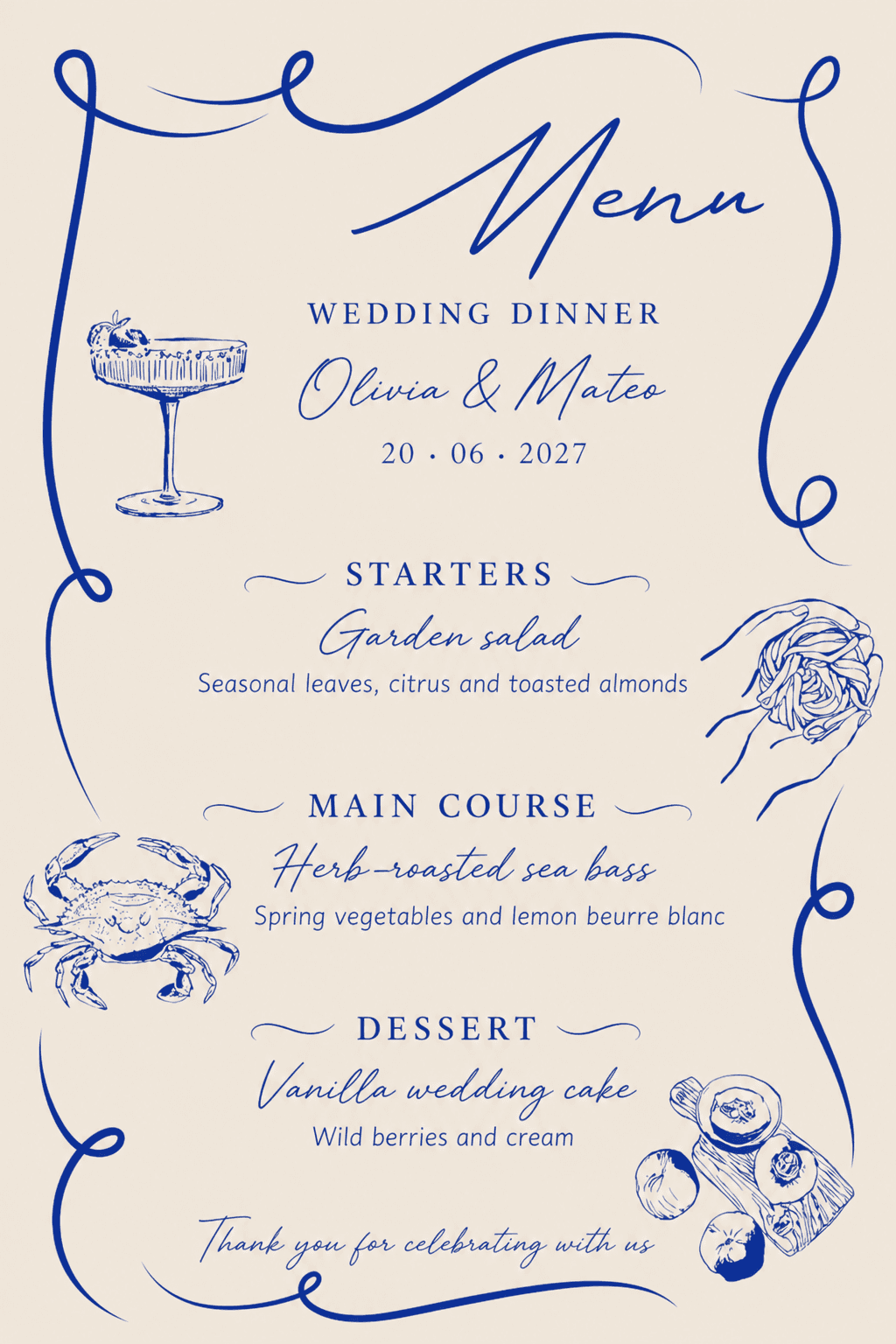
| Botanical | Warm paper, arched frame, bird and floral line art | Garden parties, outdoor ceremonies, spring and summer |
| Toile | Ivory and navy, illustrated landscape in a toile spirit | Romantic evening dinners and French-inspired rooms |
| Porcelain | Delicate decorative border, china-like detail | Plated dinners in classic hotels and historic venues |
| Bistro | Restaurant energy, stronger contrast, dinner-party feel | Intimate city weddings and evening receptions |
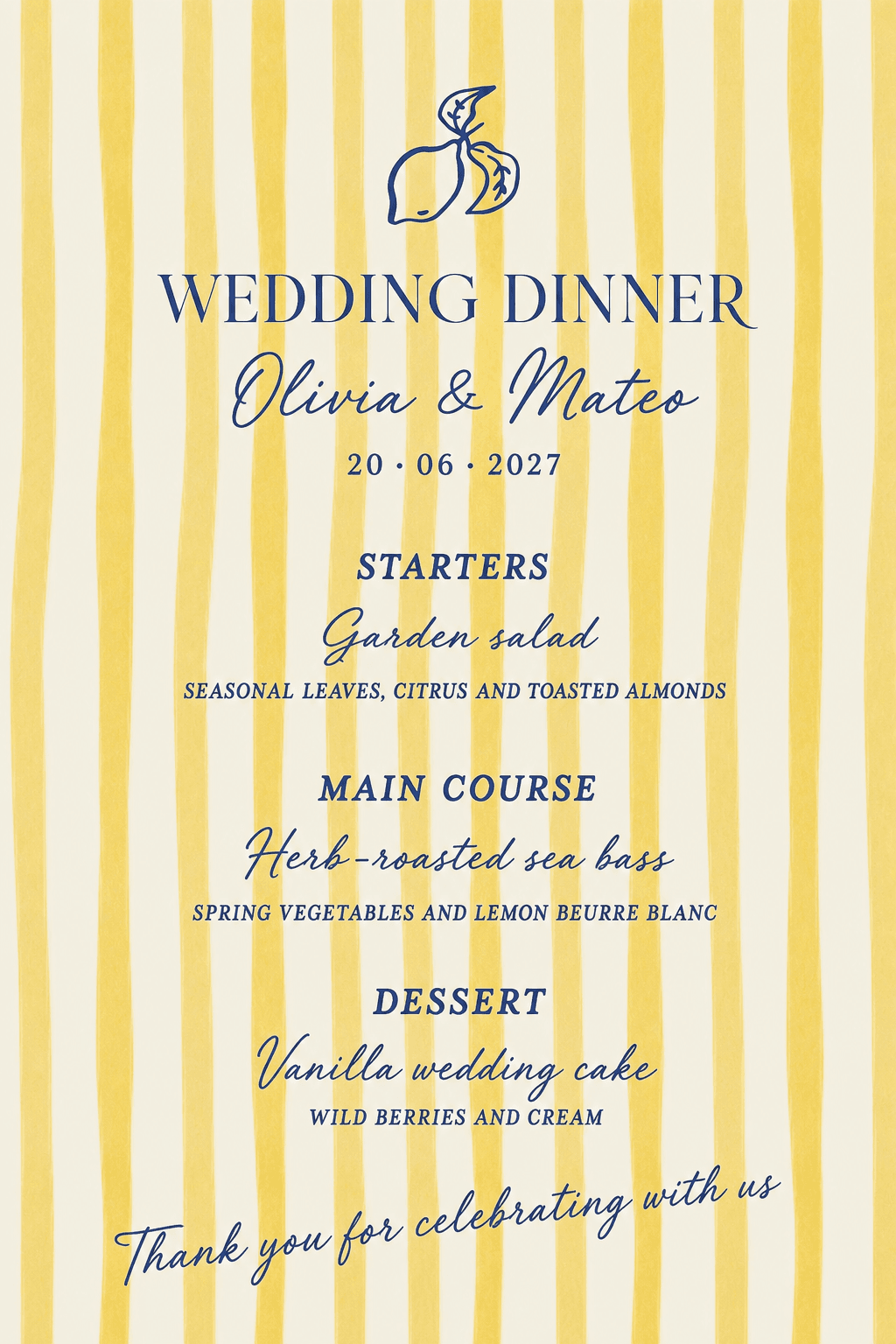
| Limoncello | Citrus, herbs and a Mediterranean table | Summer lunches, Italian or coastal celebrations |
| Laurel | Classical wreath, calm typography, timeless layout | Formal ceremonies that want less decoration, more type |
| Olive | Olive branches and rustic Mediterranean elegance | Finca, countryside and destination lunches |
Why the templates are useful
A custom stationery designer can still make a menu. Most couples do not need that for a card guests will use for ninety minutes. The templates solve the practical problems that usually delay this piece until the week of the wedding.
What you get without a separate stationery project
- A finished art direction that already works at place-setting size
- Your exact headings, dishes and descriptions — not dummy restaurant copy
- Room for couple names, the date and a short thank-you line
- Revisions when the caterer changes a garnish or a main
- A PNG you can print on the same paper as table numbers or name cards
- The same workspace as the invitation and RSVP, so meal names stay consistent
The useful part is not that AI “designs a menu”. It is that the visual style is already decided, and your real courses are composed into it. That is faster than briefing a designer after the tasting, and cleaner than stretching a Canva file the night before place cards go to print.
How to choose the meals
Start from the kitchen, not from a mood board. The venue or caterer knows what they can plate for 80 or 180 people at the same time. Your job is to edit that list so it feels like your wedding and still works for the room.
Use these constraints in order:
- What the venue already does well at your guest count
- The time of day — lunch needs more pacing and usually lighter mains
- Season and place: tomatoes in August, not in January; fish if you are by the sea
- Service style — plated, family-style or a short buffet changes how much you write on the card
- Dietary needs you already collected on the RSVP, not guesses made in the last week
If guests choose a main in advance, keep the options to two or three. Meat, fish and a vegetarian plate cover almost every wedding. A fourth “special” main creates kitchen complexity and a cluttered card. Vegan, gluten-free or child plates can be served without appearing as a full public option if the numbers are small — collect them as dietary notes instead.
Do not invent poetic dishes the kitchen cannot execute. “Heritage tomato, basil oil and aged balsamic” is only a good line if that is what will leave the pass. Guests notice when the card and the plate disagree.
Meal decisions to lock before you design the card
- Lunch or dinner, written as guests will see it
- Number of courses the table will actually receive
- Whether mains are chosen in advance or the same for everyone
- Vegetarian / vegan path, and how it is labelled
- Shared plates versus individually plated dishes
- Cake on the card, as a later surprise, or both
- Any welcome drink or wine note you truly want printed
How to write the card
The templates work best with short, exact copy. Each design has a character budget. A heading, a dish name and one short description is enough. Paragraphs make the type smaller and the card harder to read at candlelight.
A reliable structure:
- Title — Wedding lunch, Wedding dinner, or your names
- Couple names and date, if you want the card to feel like stationery and not a restaurant menu
- Section heading — Starter, First course, Main, Dessert, or the local equivalent
- Dish name on its own line
- One description line: the two or three ingredients that define the plate
- A short footer — thank you, a toast line, or nothing
Write the dish as the chef would say it, then cut. “Herb-roasted sea bass, spring vegetables, lemon beurre blanc” is clearer than “a celebration of the coast”. Skip temperatures, brand names and every garnish. If two mains are offered, label them in the same pattern: Sea bass / Beef / Garden risotto.
Use the language your guests will read most easily. A bilingual card is possible, but two full menus on one portrait usually fail. If you need both languages, generate two versions or keep the second language for the invitation, not the place setting.
Copy rules that keep the design readable
- One description line per dish, not a recipe
- The same grammar on every line — all titles, or all full sentences, not a mix
- Accents, apostrophes and chef names checked before you generate
- No prices, no calorie notes, no “market fish” placeholders
- Allergens collected on the RSVP, not listed as a footnote on every card
- Kids’ menus only if children are a real part of the table
How to choose a design
Pick the template the way you picked the invitation: by the room, not by the prettiest thumbnail. A navy toile card on a sun-bleached finca lunch will fight the tables. A lemon-and-herb card in a candlelit ballroom will feel like a different wedding.
A simple way to decide:
- Heritage, Porcelain or Laurel if the invitation is formal, cream and serif
- Botanical if the day is outdoors, floral or spring
- Toile if you want evening contrast and a more illustrated card
- Limoncello or Olive for Mediterranean lunches and destination weekends
- Bistro if the reception should feel like a long dinner with friends
If the invitation is already designed in The Wedy, stay in the same family of colour and line. The menu does not have to be identical. It should look as if it belongs on the same table as the name cards.
Best practices before you print
Generate the card only after the tasting is signed off. A pretty revision is cheap. A reprint of 150 place cards because the garnish changed is not.
Then treat the file like print, not like a social post:
- Read every dish, name and accent on a large screen before downloading
- Print one proof on the paper you will actually use — colour shifts on cream stock
- Check the card at place-setting size, not only full-screen on a laptop
- Decide one per guest or one per couple. One per setting looks finished; one per couple is enough if budget is tight
- Keep the PNG. Printers will ask for it again when a table is added
- If mains were collected on the invitation RSVP, use the same dish names on the card that guests already saw
Current image models set type very well, but they are not a substitute for proofreading. If a name has an accent, if a sauce is misspelled, or if “sea bass” became “seabass”, fix the source text and generate another revision. You have five included generations for exactly this.
Print and table checklist
- Final menu confirmed in writing with the caterer
- Title matches lunch or dinner
- Dish names match the RSVP options, if you offered a choice
- One printed proof on the real paper
- Count matches confirmed guests, plus a few extras for the sweetheart table and vendors who eat
- A plan for last-minute dietary plates that do not need a new public card
Collect the meal before you design the card
The menu card is the last step, not the first. If guests need to choose a main, that question belongs on the digital invitation RSVP — while they are already telling you if they are coming.
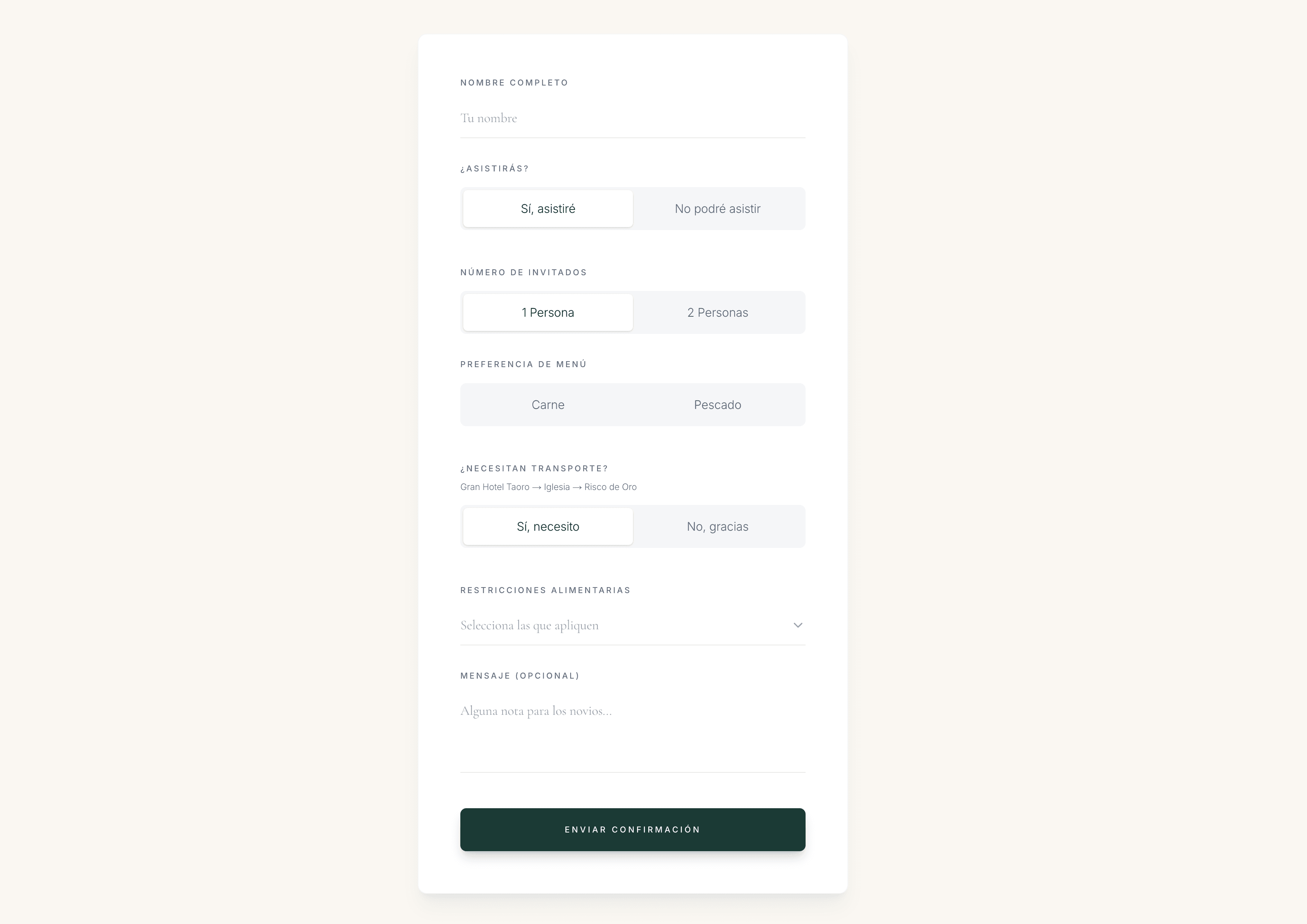
Ask for attendance, the meal choice once it is decided, and dietary restrictions. Those answers land on the same guest list you will later use for seating. A WhatsApp message of “we’ll eat whatever, maybe vegetarian” is not something a caterer can plate.
When the RSVP closes, you know how many sea bass, how many beef and how many garden plates to order. Only then is the wording on the card final. The template is there to make that last mile visual, not to replace the guest data.
Create the card in The Wedy
Once the courses are final, the design step is short. You are not briefing a stationery house. You are filling in the menu you already agreed with the caterer.
From courses to a finished PNG
- 01
Choose a design
Open the dinner menu workspace and pick the reference style that matches the invitation and the room. All eight designs are included.
- 02
Add the real menu
Enter the title, names, date, section headings, dish names, optional descriptions and a short footer. Type them exactly as they should appear.
- 03
Generate and review
Let AI compose the card in that visual style. Read every line. If a word is wrong, edit the source and generate another revision.
- 04
Download and print
Download the PNG, print a single proof, then send the file to your printer or print the rest for each setting.
The short version
Choose food the kitchen can serve well. Write it in short, exact lines. Pick a template that belongs in the same room as the invitation. Print a proof. Keep the dietary complexity on the RSVP, not on the card.
Before you send the file to print
- Lunch or dinner is named correctly
- Courses match the signed catering agreement
- Descriptions are one line each
- Template matches the invitation and venue
- Names, dates and accents are correct
- One physical proof looks good at table size
- Guest meal counts already live on the RSVP list
Preguntas frecuentes
Are the wedding menu templates really included on every plan?
Yes. The full collection — Heritage, Botanical, Toile, Porcelain, Bistro, Limoncello, Laurel and Olive — is included with Wedding Invitation, Wedding Planning Suite and Wedding Atelier. You do not pay extra for the designs.
Can I use the templates for a wedding lunch, not a dinner?
Yes. The product is named dinner menu because that is the usual English stationery term, but you can title the card Wedding lunch or Menú de comida and enter whatever courses you are serving. Choose a lighter design, such as Limoncello, Olive or Botanical, if the meal is in the afternoon.
How many courses should a wedding menu have?
Most plated dinners read well with three: starter, main, dessert. A Mediterranean lunch can carry a fourth course or shared first plates if the kitchen is built for it. If the card needs more than five sections, you are writing a restaurant menu, not a wedding card.
Should guests choose their main course in advance?
If the kitchen needs numbers, yes — collect the choice on the digital RSVP, with a dietary-notes field. Keep the public options to two or three. Then print those same names on the card so the table matches what people already selected.
Do I need to list allergens on the menu card?
No. Collect allergies and dietary restrictions on the RSVP and give the kitchen a list. A card that tries to mark every dish gluten-free, nut-free or vegan becomes unreadable. A short footer such as “Please speak to us about allergies” is enough.
How many versions can I generate?
Each wedding plan includes five AI generations. Use them for proofreading, a last catering change, or a second design if the first style does not match the room. Earlier revisions stay saved.
What size should I print?
The designs are composed in a 2:3 portrait, which prints cleanly as a tall place card — roughly A5 or a slightly smaller menu card, depending on the printer. Always print one proof on the real stock before ordering the set.
Sigue leyendo
Historias relacionadas
What to Include in a Digital Wedding Invitation
A practical checklist of what guests need on a digital wedding invitation — the essentials, useful extras, RSVP questions and what you can add later.
How to Collect Wedding RSVPs Online Without Spreadsheets or Group Chats
Collect wedding RSVPs in one place instead of WhatsApp threads and spreadsheets, with structured replies that later become your seating plan.
Digital vs Paper Wedding Invitations: Cost, RSVP Rate and Seating Impact
Compare digital and paper wedding invitations on real cost, how fast guests RSVP, and what that choice means for your seating plan later.